The 5 RAG Architectures and Exactly When to Use Each One in Production
Last Updated on June 25, 2026 by Editorial Team
Author(s): Bessie Delight Kekeli
Originally published on Towards AI.
The 5 RAG Architectures and Exactly When to Use Each One in Production

Part 6 of the LangGraph Mental Model series — an expansion of the RAG chapter, going broader and deeper across the retrieval landscape that production systems live in today.
Before We Begin: What This Article Is Really About
Part 4 of this series introduced you to one specific RAG pattern: load documents, build a LlamaIndex VectorStoreIndex, wrap the QueryEngine as a @tool, and hand it to a LangGraph agent. That pattern works, and it works well for the problems it was designed to solve.
But the word “RAG” today covers a family of meaningfully different architectures, each built to solve a different class of problem. Using the wrong one is not just a performance issue. It is the difference between a system that works and one that quietly gives your users confident, wrong answers at scale.
This article maps the entire family. By the end of it, you will be able to look at any retrieval problem and know, without guessing, which architecture it calls for — and how to build it using LangGraph and LlamaIndex.
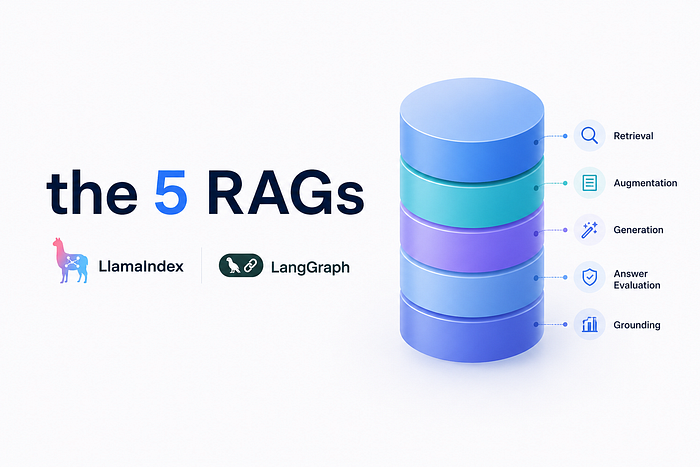
Here is what we will cover, in order from simplest to most complex:

One more thing to carry with you through this entire article: these five architectures are not competitors. They are layers you add progressively as your problem demands more. Most production systems combine at least two of them.
The Problem That All Five Architectures Are Solving
Every RAG system exists to answer one fundamental question: how do you give a language model access to knowledge it was never trained on, at the moment it needs it, in the right form for it to reason over?
Training data has a cutoff. It has no memory of your company’s internal documents, your product specifications, or anything written after the model was frozen. Fine-tuning on that data is expensive, slow, and produces a model that still cannot update when the documents change.
RAG sidesteps the entire problem. Rather than teaching the model new knowledge, you retrieve the relevant knowledge at query time and include it in the prompt as context. The model never needed to memorize it — it just needs to read it when it matters.
The five architectures in this article are five different answers to the question of how to retrieve well. Each answer is better suited to a different retrieval problem.
Architecture 1: Naive RAG
The Concept
Naive RAG is the baseline. It is the architecture that Part 4 of this series taught, and it is the right architecture for a large class of real problems — internal policy bots, FAQ assistants, documentation search tools, onboarding helpers. Do not let the word “naive” mislead you. This is a well-understood, well-tested production pattern used at scale today.
The pipeline has five sequential steps, and they map directly to what LlamaIndex gives you out of the box:

 Stages 1–4: Indexing time (run once)
 Stage 5: Query time (run on every user question)
The single most important distinction in all of RAG is between indexing time and query time. You pay the embedding cost once, up front. At query time, you are only paying for one similarity search and one LLM call.
Why It Works
When a user asks a question, their question is embedded into the same vector space as your document chunks. The chunks whose vectors sit geometrically closest to the question vector are the ones returned. The assumption is that semantic similarity in vector space corresponds to relevance in meaning. For clean, factual document corpora, this assumption holds surprisingly well.
The Code
# ============================================================
# NAIVE RAG — COMPLETE TEMPLATE
# ============================================================
# ── MODULE 1: IMPORTS & CONFIGURATION ───────────────────────
import os
from typing import Literal
from langchain_openai import ChatOpenAI
from langchain_core.messages import HumanMessage, SystemMessage
from langchain_core.tools import tool
from langgraph.graph import StateGraph, MessagesState, START, END
from langgraph.prebuilt import ToolNode
from langgraph.checkpoint.memory import MemorySaver
from llama_index.core import (
 Settings, SimpleDirectoryReader, VectorStoreIndex,
 StorageContext, load_index_from_storage
)
from llama_index.llms.openai import OpenAI as LlamaOpenAI
from llama_index.embeddings.openai import OpenAIEmbedding
# LangGraph's reasoning model
llm = ChatOpenAI(model="gpt-4o", temperature=0)
# LlamaIndex's internal model - separate from the above
# These two model configs do NOT share state or conversation history
Settings.llm = LlamaOpenAI(model="gpt-4o-mini", temperature=0.1)
Settings.embed_model = OpenAIEmbedding(model="text-embedding-3-small")
Settings.chunk_size = 512
Settings.chunk_overlap = 50
# ── MODULE 2: STATE ──────────────────────────────────────────
class State(MessagesState):
 pass # messages list inherited; extend if you need more
# ── MODULE 3: KNOWLEDGE BASE (Build once, persist, reload) ───
PERSIST_DIR = "./storage/naive"
if os.path.exists(PERSIST_DIR):
 storage_context = StorageContext.from_defaults(persist_dir=PERSIST_DIR)
 index = load_index_from_storage(storage_context)
else:
 documents = SimpleDirectoryReader("./data").load_data()
 index = VectorStoreIndex.from_documents(documents, show_progress=True)
 index.storage_context.persist(persist_dir=PERSIST_DIR)
query_engine = index.as_query_engine(similarity_top_k=3)
# ── MODULE 3 (cont.): TOOL ───────────────────────────────────
@tool
def search_knowledge_base(query: str) -> str:
 """Search internal company documents for policies, product specs,
 and procedures. Use this for any question requiring domain-specific
 knowledge rather than general world knowledge."""
 response = query_engine.query(query)
 return str(response)
tools = [search_knowledge_base]
llm_with_tools = llm.bind_tools(tools)
tool_node = ToolNode(tools)
# ── MODULE 4: NODES ──────────────────────────────────────────
def agent_node(state: State) -> dict:
 system_prompt = SystemMessage(content=(
 "You are a helpful assistant with access to an internal knowledge base. "
 "Use search_knowledge_base for company-specific questions. "
 "Answer general questions directly."
 ))
 response = llm_with_tools.invoke([system_prompt] + state["messages"])
 return {"messages": [response]}
# ── MODULE 5: ROUTING ────────────────────────────────────────
def should_continue(state: State) -> Literal["tools", "__end__"]:
 last = state["messages"][-1]
 if hasattr(last, "tool_calls") and last.tool_calls:
 return "tools"
 return "__end__"
# ── MODULE 6: GRAPH ASSEMBLY ─────────────────────────────────
builder = StateGraph(State)
builder.add_node("agent", agent_node)
builder.add_node("tools", tool_node)
builder.add_edge(START, "agent")
builder.add_conditional_edges("agent", should_continue,
 {"tools": "tools", "__end__": END})
builder.add_edge("tools", "agent")
graph = builder.compile(checkpointer=MemorySaver())
When Naive RAG Breaks
Naive RAG makes one assumption that fails in two common situations.
The first is terminology mismatch. A user asks: “What’s the SLA for tier-1 clients?” The document says: “Gold-tier customers are guaranteed a 99.9% uptime commitment.” The words SLA, tier-1, and Gold-tier are semantically close but not identical. Vector similarity may not rank this chunk highly enough, and the answer gets missed.
The second is relational questions. A user asks: “Which of our products are affected if Supplier X goes offline?” Answering this requires traversing a chain of relationships across multiple documents. No single chunk answers it. Naive RAG returns chunks from different documents with no way to connect them.
These two failure modes are exactly what the next two architectures solve.
Architecture 2: Hybrid RAG
The Concept
Hybrid RAG acknowledges a truth that practitioners discovered in production: semantic similarity and exact keyword match are complementary, not competing, signals of relevance. Neither one alone is sufficient.
Dense retrieval (vector search) is excellent at finding semantic equivalents — it will find the “Gold-tier uptime commitment” document when you ask about “SLA.” But it struggles when the query contains proper nouns, product codes, medical terms, legal citations, or any highly specific terminology that carries precise meaning in its exact form.
Sparse retrieval (BM25/keyword search) is the opposite. It is brilliant at exact term matching — it will always find “SKU-4829” if you search for “SKU-4829.” But it has no concept of semantic equivalence. It will not find “uptime guarantee” when you search for “SLA.”
Hybrid RAG runs both searches in parallel, then uses a reranker to produce a single, unified ranked list from the merged results.

The reranker is the critical piece here. Unlike embedding models, which compare a query and a chunk independently, a cross-encoder reranker reads the query and each candidate chunk together and produces a relevance score that reflects their relationship directly. It is slower than similarity search, but it is applied only to the already-reduced candidate set, keeping latency manageable.
The Code
# ============================================================
# HYBRID RAG — LLAMAINDEX IMPLEMENTATION
# pip install llama-index-retrievers-bm25 rank-bm25
# ============================================================

from llama_index.core import SimpleDirectoryReader, VectorStoreIndex
from llama_index.core.retrievers import VectorIndexRetriever
from llama_index.retrievers.bm25 import BM25Retriever
from llama_index.core.retrievers import QueryFusionRetriever
from llama_index.core.query_engine import RetrieverQueryEngine
from langchain_core.tools import tool
# Build document store and index as before
documents = SimpleDirectoryReader("./data").load_data()
index = VectorStoreIndex.from_documents(documents)
# ── DENSE RETRIEVER (vector similarity) ──────────────────────
vector_retriever = VectorIndexRetriever(
 index=index,
 similarity_top_k=5, # Fetch more candidates pre-rerank
)
# ── SPARSE RETRIEVER (BM25 keyword match) ────────────────────
# BM25Retriever builds directly from the index's nodes
bm25_retriever = BM25Retriever.from_defaults(
 index=index,
 similarity_top_k=5,
)
# ── FUSION: Merge both retrievers with Reciprocal Rank Fusion ─
# QueryFusionRetriever is LlamaIndex's built-in hybrid combiner
# mode="reciprocal_rerank" implements the RRF algorithm:
# it combines ranked lists without needing score calibration
hybrid_retriever = QueryFusionRetriever(
 retrievers=[vector_retriever, bm25_retriever],
 similarity_top_k=3, # Final top-k after fusion
 num_queries=1, # No query expansion in this mode
 mode="reciprocal_rerank", # The fusion algorithm
 use_async=True, # Run both retrievers in parallel
)
# Build a QueryEngine on top of the hybrid retriever
hybrid_query_engine = RetrieverQueryEngine.from_args(
 retriever=hybrid_retriever,
)
# ── LANGGRAPH TOOL ────────────────────────────────────────────
@tool
def search_hybrid(query: str) -> str:
 """Search internal knowledge base using both semantic similarity
 and keyword matching. More precise than pure vector search,
 especially for technical terms, product codes, and exact names."""
 response = hybrid_query_engine.query(query)
 return str(response)
# The LangGraph graph structure is identical to Naive RAG.
# You are only swapping the tool. Everything from Module 4 onward
# stays exactly the same.
A Note on Chunk Size in Hybrid RAG
With hybrid retrieval, you will often want to index with smaller chunks than in Naive RAG. Smaller chunks make BM25 matching more precise because a high-frequency term in a small chunk is a stronger signal of relevance than the same term in a large chunk. A setting of 256 tokens with 30-token overlap is a reasonable starting point when BM25 is in the mix.
When to Use Hybrid RAG
Use Hybrid RAG any time your documents contain a mix of free-form prose and structured terminology. This covers nearly every serious enterprise use case: legal document review (where citation forms must match exactly), medical records (where drug names, dosage codes, and ICD codes are precise), financial analysis (ticker symbols, contract clause identifiers), and technical documentation (error codes, API method names, version numbers).
Architecture 3: Graph RAG
The Concept
Graph RAG is a fundamentally different way of thinking about what a “document” is. In Naive and Hybrid RAG, a document is a blob of text, and retrieval finds the blobs whose text is most relevant to your query. In Graph RAG, a document is a set of entities and relationships, and retrieval follows a path through a network.
Consider this question: “Which of our enterprise clients would be affected if we deprecated the legacy authentication module?”
A naive retrieval system would search for chunks that mention “enterprise clients” and “authentication module” together. It might find a few. But what you actually need is to traverse a chain:

No single document chunk contains that answer. The answer emerges from the structure of the knowledge graph. This is what Graph RAG is built for: multi-hop reasoning, relationship tracing, and questions whose answers require connecting facts that live in different parts of your corpus.
How Graph RAG Builds Its Index
Instead of chunking documents and embedding the chunks, Graph RAG runs an entity extraction pass over all documents first. It identifies named entities (products, people, organizations, concepts) and the relationships between them (“depends on,” “is a client of,” “is authored by,” “was superseded by”). These become nodes and edges in a knowledge graph. The graph is then organized into communities of closely related entities using graph clustering algorithms, and each community gets a summary written by an LLM. At query time, the system searches community summaries and then traverses the graph to find relevant entities.

The Code
# ============================================================
# GRAPH RAG — LLAMAINDEX PROPERTY GRAPH INDEX
# pip install llama-index-core
# ============================================================
from llama_index.core import SimpleDirectoryReader, PropertyGraphIndex
from llama_index.core.indices.property_graph import (
 ImplicitPathExtractor,
 SimpleLLMPathExtractor,
)
from langchain_core.tools import tool
# Load documents
documents = SimpleDirectoryReader("./data").load_data()
# ── BUILD THE PROPERTY GRAPH INDEX ───────────────────────────
# LlamaIndex's PropertyGraphIndex handles the full extraction pipeline.
# SimpleLLMPathExtractor uses an LLM to extract (subject, relation, object)
# triples from each chunk - these become graph edges.
# ImplicitPathExtractor uses fast heuristics (cheaper, less precise).
index = PropertyGraphIndex.from_documents(
 documents,
 kg_extractors=[
 # LLM-based extraction: higher quality, higher cost
 SimpleLLMPathExtractor(
 llm=Settings.llm,
 max_paths_per_chunk=10,
 ),
 # Heuristic extraction: fast fallback
 ImplicitPathExtractor(),
 ],
 show_progress=True,
)
# ── CREATE A GRAPH-AWARE RETRIEVER ────────────────────────────
# This retriever traverses the graph rather than searching flat vectors.
kg_retriever = index.as_retriever(
 include_text=True, # Include surrounding text with each entity
 retriever_mode="hybrid", # Combines keyword + embedding on the graph
 similarity_top_k=3,
)
from llama_index.core.query_engine import RetrieverQueryEngine
graph_query_engine = RetrieverQueryEngine.from_args(retriever=kg_retriever)
# ── LANGGRAPH TOOL ────────────────────────────────────────────
@tool
def search_knowledge_graph(query: str) -> str:
 """Search the knowledge graph for questions involving relationships
 between entities - dependencies, organizational hierarchies, impact
 analysis, and multi-hop reasoning across connected information.
 Use this when the answer requires tracing a chain of relationships
 rather than finding a single relevant document."""
 response = graph_query_engine.query(query)
 return str(response)
# ── COMBINING WITH NAIVE RAG: DUAL-TOOL AGENT ─────────────────
# In practice, Graph RAG and Naive RAG are often combined.
# The agent's LLM decides which tool fits the query.
@tool
def search_knowledge_base(query: str) -> str:
 """Search for factual information in company documents.
 Best for direct questions with answers in a single document."""
 response = query_engine.query(query) # The naive query engine
 return str(response)
# Give the LangGraph agent BOTH tools.
# It will route to the right one based on the question type.
tools = [search_knowledge_base, search_knowledge_graph]
llm_with_tools = llm.bind_tools(tools)
tool_node = ToolNode(tools)
# Graph assembly remains identical - only the tool list changes.
A Critical Cost Warning
Graph RAG’s entity extraction phase runs an LLM call over every chunk in your corpus. For a large document set, this means thousands of LLM calls at indexing time. This is intentionally expensive and slow — you are paying a one-time indexing cost for a much richer data structure. Do not build a Graph RAG index on every startup. Always persist the graph and reload it, exactly as shown for Naive RAG in Part 4.
When to Use Graph RAG
Graph RAG is the right architecture when your questions require following chains of relationships: compliance and risk analysis (“which processes are affected by regulation X”), supply chain intelligence (“what products depend on this supplier”), organizational knowledge (“who owns what, and how do those ownership chains connect”), and software dependency mapping (“what breaks if we remove module Y”).
Architecture 4: Advanced RAG
The Concept
Advanced RAG is not a single new technique. It is a structured set of improvements that sit on top of whatever base retrieval mechanism you are already using. Where Naive RAG trusts its first retrieval pass, Advanced RAG questions it, refines it, and validates it.
There are three categories of improvement, and they slot into different parts of the pipeline:

Pre-Retrieval: Query Rewriting and HyDE
The query a user types is rarely the optimal search query. “What’s the deal with our returns policy for enterprise?” is a perfectly natural human question that will retrieve worse results than “enterprise customer return and refund policy procedures.” Query rewriting uses the LLM to transform the user’s natural language question into a better search query before hitting the index.
HyDE (Hypothetical Document Embedding) takes a different approach: instead of searching with the question, it asks the LLM to generate a hypothetical document that would answer the question, then embeds that document to search. The insight is that an answer-shaped text will sit closer in vector space to other answer-shaped texts than a question-shaped text will.
Query Decomposition
Multi-step questions fail Naive RAG because they require multiple retrievals. Advanced RAG decomposes them first.
“Compare our refund policy for enterprise and retail customers, and summarize the key differences” is not one question. It is three: retrieve enterprise policy, retrieve retail policy, compare them. Query decomposition breaks this into sub-queries, retrieves against each, and merges the results before synthesis.

Post-Retrieval: Reranking and CRAG
Reranking was covered in Hybrid RAG above. The same cross-encoder reranker applies here as a post-retrieval step over whatever chunks were retrieved, even if you only used dense retrieval.
CRAG (Corrective RAG) is the most sophisticated post-retrieval technique. After retrieval, it runs a lightweight evaluation: are the retrieved chunks actually relevant to the question? If the evaluator judges them insufficient, CRAG falls back to an alternative source (web search, a broader index) rather than forcing the LLM to answer from poor context.
The Code
# ============================================================
# ADVANCED RAG — MULTI-TECHNIQUE IMPLEMENTATION
# ============================================================

from llama_index.core import SimpleDirectoryReader, VectorStoreIndex
from llama_index.core.query_engine import (
 SubQuestionQueryEngine, # Handles query decomposition
 RetrieverQueryEngine,
)
from llama_index.core.tools import QueryEngineTool, ToolMetadata
from llama_index.core.postprocessor import SentenceTransformerRerank
from langchain_core.tools import tool
documents = SimpleDirectoryReader("./data").load_data()
index = VectorStoreIndex.from_documents(documents)
# ── RERANKER: Post-retrieval cross-encoder scoring ────────────
# Fetch 8 candidates, rerank down to 3
# This is the most impactful single improvement in Advanced RAG
reranker = SentenceTransformerRerank(
 model="cross-encoder/ms-marco-MiniLM-L-2-v2",
 top_n=3,
)
# ── RETRIEVER WITH RERANKING ──────────────────────────────────
base_retriever = index.as_retriever(similarity_top_k=8)
reranked_engine = RetrieverQueryEngine.from_args(
 retriever=base_retriever,
 node_postprocessors=[reranker], # Applied after retrieval
)
# ── QUERY DECOMPOSITION with SubQuestionQueryEngine ───────────
# Wrap the base engine as a "tool" that the decomposer can call
engine_tools = [
 QueryEngineTool(
 query_engine=reranked_engine,
 metadata=ToolMetadata(
 name="company_knowledge_base",
 description=(
 "Searches company documents for policies, procedures, "
 "and product information."
 ),
 ),
 )
]
# SubQuestionQueryEngine decomposes complex questions into
# sub-questions, runs each against the available tools,
# and synthesizes a final answer from all sub-answers
decomposed_engine = SubQuestionQueryEngine.from_defaults(
 query_engine_tools=engine_tools,
 use_async=True, # Sub-queries run in parallel when possible
)
# ── HYDE: Hypothetical Document Embedding ─────────────────────
from llama_index.core.indices.query.query_transform.base import (
 HyDEQueryTransform,
)
from llama_index.core.query_engine import TransformQueryEngine
hyde_transform = HyDEQueryTransform(include_original=True)
hyde_engine = TransformQueryEngine(
 query_engine=reranked_engine,
 query_transform=hyde_transform,
)
# ── LANGGRAPH TOOLS: Different engines for different patterns ──
@tool
def search_with_decomposition(query: str) -> str:
 """Search for answers to complex questions that may require
 combining information from multiple documents. Automatically
 breaks the question into sub-questions and merges the results.
 Best for comparison questions, multi-part questions, and anything
 requiring synthesis across different topics."""
 response = decomposed_engine.query(query)
 return str(response)
@tool
def search_with_hyde(query: str) -> str:
 """Search the knowledge base using hypothetical document embedding.
 More effective than standard search for abstract or exploratory
 questions where the exact terminology in the answer differs from
 the terminology in the question."""
 response = hyde_engine.query(query)
 return str(response)
# The LangGraph agent now has specialized retrieval tools
# and its LLM decides which retrieval strategy each question needs.
tools = [search_with_decomposition, search_with_hyde]
The Golden Rule of Advanced RAG
Do not implement all of these techniques at once. Start with the single intervention most likely to help your specific failure mode. Reranking is almost always the highest-value first addition. Query decomposition is second. HyDE is a good third step for conceptual or abstract corpora. Add complexity incrementally, and measure recall after each addition.
Architecture 5: Agentic RAG
The Concept
Agentic RAG is the architecture that this entire series has been building toward. It does not just improve on how you retrieve — it changes who makes the retrieval decisions.
In all four previous architectures, retrieval is a pipeline: a fixed, predetermined sequence of operations that runs the same way every time. In Agentic RAG, retrieval is a loop: an LLM agent that decides what to search for, evaluates what it found, decides whether to search again, and keeps going until it has enough to answer — or until it determines the answer is unanswerable.

This is exactly what LangGraph was designed to do. The agent node, the tool node, the conditional edge — the entire seven-module structure from Part 1 of this series is an Agentic RAG scaffold. What changes is the richness of the tool suite you give it and the sophistication of the routing logic you build around it.
Agentic RAG with Multiple Retrieval Tools
The real power of Agentic RAG in LangGraph is that you can give the agent access to every retrieval strategy discussed in this article simultaneously. The agent’s LLM decides which tool to use for each sub-question.
# ============================================================
# AGENTIC RAG — COMPLETE MULTI-TOOL TEMPLATE
# This is the full production scaffold: all five architectures
# available to a single agent, which selects dynamically.
# ============================================================

# ── MODULE 1: IMPORTS & CONFIGURATION ───────────────────────
import os
from typing import Literal, Annotated
from langchain_openai import ChatOpenAI
from langchain_core.messages import HumanMessage, SystemMessage, BaseMessage
from langchain_core.tools import tool
from langgraph.graph import StateGraph, MessagesState, START, END
from langgraph.prebuilt import ToolNode
from langgraph.checkpoint.memory import MemorySaver
from llama_index.core import (
 Settings, SimpleDirectoryReader, VectorStoreIndex,
 StorageContext, load_index_from_storage, PropertyGraphIndex
)
from llama_index.core.indices.property_graph import SimpleLLMPathExtractor
from llama_index.core.postprocessor import SentenceTransformerRerank
from llama_index.core.query_engine import RetrieverQueryEngine, SubQuestionQueryEngine
from llama_index.core.tools import QueryEngineTool, ToolMetadata
from llama_index.llms.openai import OpenAI as LlamaOpenAI
from llama_index.embeddings.openai import OpenAIEmbedding
from llama_index.retrievers.bm25 import BM25Retriever
from llama_index.core.retrievers import QueryFusionRetriever, VectorIndexRetriever
# The agent's main reasoning model (LangGraph)
llm = ChatOpenAI(model="gpt-4o", temperature=0)
# LlamaIndex internal configuration
Settings.llm = LlamaOpenAI(model="gpt-4o-mini", temperature=0.1)
Settings.embed_model = OpenAIEmbedding(model="text-embedding-3-small")
Settings.chunk_size = 512
Settings.chunk_overlap = 50
# ── MODULE 2: STATE ──────────────────────────────────────────
class AgentState(MessagesState):
 # Extend with retrieval metadata if you need observability
 retrieval_count: int = 0 # Track how many retrieval calls were made
# ── MODULE 3: KNOWLEDGE BASES (all built at startup) ──────────
VECTOR_DIR = "./storage/vector"
GRAPH_DIR = "./storage/graph"
documents = SimpleDirectoryReader("./data").load_data()
# Vector index (for Naive, Hybrid, Advanced)
if os.path.exists(VECTOR_DIR):
 ctx = StorageContext.from_defaults(persist_dir=VECTOR_DIR)
 vector_index = load_index_from_storage(ctx)
else:
 vector_index = VectorStoreIndex.from_documents(documents, show_progress=True)
 vector_index.storage_context.persist(persist_dir=VECTOR_DIR)
# Property Graph index (for Graph RAG)
if os.path.exists(GRAPH_DIR):
 ctx = StorageContext.from_defaults(persist_dir=GRAPH_DIR)
 graph_index = load_index_from_storage(ctx)
else:
 graph_index = PropertyGraphIndex.from_documents(
 documents,
 kg_extractors=[SimpleLLMPathExtractor(llm=Settings.llm)],
 show_progress=True,
 )
 graph_index.storage_context.persist(persist_dir=GRAPH_DIR)
# ── Set up individual engines ─────────────────────────────────
reranker = SentenceTransformerRerank(
 model="cross-encoder/ms-marco-MiniLM-L-2-v2", top_n=3
)
# Tool 1: Naive / vector search
vector_engine = vector_index.as_query_engine(
 similarity_top_k=3,
 node_postprocessors=[reranker],
)
# Tool 2: Hybrid (vector + BM25)
hybrid_retriever = QueryFusionRetriever(
 retrievers=[
 VectorIndexRetriever(index=vector_index, similarity_top_k=5),
 BM25Retriever.from_defaults(index=vector_index, similarity_top_k=5),
 ],
 similarity_top_k=3,
 mode="reciprocal_rerank",
 use_async=True,
)
hybrid_engine = RetrieverQueryEngine.from_args(
 retriever=hybrid_retriever,
 node_postprocessors=[reranker],
)
# Tool 3: Graph traversal
graph_engine = graph_index.as_query_engine(
 include_text=True,
 retriever_mode="hybrid",
 similarity_top_k=3,
)
# Tool 4: Decomposed (for complex multi-part questions)
decomposed_engine = SubQuestionQueryEngine.from_defaults(
 query_engine_tools=[
 QueryEngineTool(
 query_engine=vector_engine,
 metadata=ToolMetadata(
 name="docs",
 description="Company documents and policies."
 )
 )
 ],
 use_async=True,
)
# ── MODULE 3 (cont.): ALL TOOLS ───────────────────────────────
@tool
def search_documents(query: str) -> str:
 """Search company documents by semantic meaning. Best for
 conceptual questions where the exact wording in the answer
 may differ from the question."""
 return str(vector_engine.query(query))
@tool
def search_exact_terms(query: str) -> str:
 """Search using both keyword and semantic matching. Best when
 the query contains specific terminology, product codes, names,
 or exact phrases that must appear in the result."""
 return str(hybrid_engine.query(query))
@tool
def search_relationships(query: str) -> str:
 """Search the knowledge graph for questions about how things
 connect: dependencies, impact chains, organizational links,
 and multi-hop reasoning. Use when the answer requires tracing
 a relationship across multiple entities."""
 return str(graph_engine.query(query))
@tool
def search_complex_question(query: str) -> str:
 """For multi-part questions requiring synthesis across several
 topics. Automatically decomposes the question into sub-queries,
 retrieves each independently, and combines the results."""
 return str(decomposed_engine.query(query))
tools = [
 search_documents,
 search_exact_terms,
 search_relationships,
 search_complex_question,
]
llm_with_tools = llm.bind_tools(tools)
tool_node = ToolNode(tools)
# ── MODULE 4: NODES ──────────────────────────────────────────
def agent_node(state: AgentState) -> dict:
 system_prompt = SystemMessage(content=(
 "You are a precise research assistant with access to four retrieval tools:\n\n"
 "1. search_documents - semantic search over company documents\n"
 "2. search_exact_terms - hybrid semantic + keyword search\n"
 "3. search_relationships - graph traversal for relationship questions\n"
 "4. search_complex_question - decomposed retrieval for multi-part questions\n\n"
 "Think step by step. Use the tool that best fits the question type. "
 "You may call multiple tools if a question has multiple parts. "
 "Only answer when you have retrieved sufficient evidence."
 ))
 response = llm_with_tools.invoke([system_prompt] + state["messages"])
 return {
 "messages": [response],
 "retrieval_count": state.get("retrieval_count", 0),
 }
# ── MODULE 5: ROUTING ────────────────────────────────────────
def should_continue(state: AgentState) -> Literal["tools", "__end__"]:
 last = state["messages"][-1]
 if hasattr(last, "tool_calls") and last.tool_calls:
 return "tools"
 return "__end__"
# ── MODULE 6: GRAPH ASSEMBLY ─────────────────────────────────
builder = StateGraph(AgentState)
builder.add_node("agent", agent_node)
builder.add_node("tools", tool_node)
builder.add_edge(START, "agent")
builder.add_conditional_edges("agent", should_continue,
 {"tools": "tools", "__end__": END})
builder.add_edge("tools", "agent")
graph = builder.compile(checkpointer=MemorySaver())
# ── MODULE 7: ENTRYPOINT ──────────────────────────────────────
if __name__ == "__main__":
 config = {"configurable": {"thread_id": "agentic-session-001"}}
 print("Agentic RAG ready. Ask anything.\n")
 while True:
 user_text = input("You: ").strip()
 if not user_text or user_text.lower() in ("exit", "quit"):
 break
 response = graph.invoke(
 {"messages": [HumanMessage(content=user_text)]},
 config=config,
 )
 print(f"\nAgent: {response['messages'][-1].content}\n")
What Agentic RAG Solves That Pipelines Cannot
The critical difference between Agentic RAG and every other architecture in this article is self-correction. A pipeline cannot realize it retrieved the wrong thing. An agent can.
If the first retrieval returns weak results, the agent recognizes this in its next reasoning step and issues a different query with different search terms. If a question has an unexpected dependency, the agent discovers this mid-answer and makes an additional retrieval call to resolve it. If the question was ambiguous, the agent can ask for clarification before searching at all.
This is the architecture to reach for when the cost of a wrong answer is high — compliance, legal, financial, medical — because you can add verification steps, confidence thresholds, and human-in-the-loop checkpoints from Part 2 of this series directly into the agent graph.
The Latency Tradeoff
Agentic RAG is genuinely slower. A single-tool pipeline runs in 200 to 500 milliseconds. An agent that makes three retrieval calls before answering may take 8 to 12 seconds. For real-time user-facing interfaces, this is often too slow for the primary interaction path. The two production patterns that resolve this are: streaming intermediate steps to the user so they see progress rather than silence, and running agentic retrieval asynchronously to pre-fetch answers for anticipated follow-up questions.
Putting It All Together: The Decision Framework
Every retrieval problem has a right answer among these five. Here is how to find it.

The Stacking Pattern: How These Architectures Combine
One of the most important things to understand about this family is that the architectures are composable. You do not pick one and discard the others. The most common production pattern is a stack.

In LangGraph, this stacking pattern translates directly to the tool list. An Agentic RAG agent with access to a Naive tool, a Hybrid tool, a Graph tool, and a Decomposed tool is exactly the five-architecture stack — the agent (Layer 5) selects from and orchestrates the others (Layers 1 to 4) on every turn.
The Keyword Reference Card
An extension of the reference cards from Parts 1 through 5.
NAIVE RAG
SimpleDirectoryReader Load files into Document objects
VectorStoreIndex.from_documents Build the embed-and-store index
index.as_query_engine() Full retrieve-and-answer pipeline
index.as_retriever() Retrieve only (no answer generation)
Settings.chunk_size Token size per Node
Settings.chunk_overlap Token overlap between adjacent Nodes

HYBRID RAG
BM25Retriever Keyword-based sparse retriever
VectorIndexRetriever Dense embedding retriever
QueryFusionRetriever Merges multiple retrievers (RRF algorithm)
SentenceTransformerRerank Cross-encoder reranker for post-retrieval

GRAPH RAG
PropertyGraphIndex Builds a knowledge graph from documents
SimpleLLMPathExtractor LLM-based entity and relation extraction
ImplicitPathExtractor Heuristic-based entity extraction (fast)

ADVANCED RAG
SubQuestionQueryEngine Decomposes complex queries into sub-queries
HyDEQueryTransform Hypothetical Document Embedding transform
TransformQueryEngine Wraps any engine with a query transform
node_postprocessors Where rerankers and filters attach

AGENTIC RAG (LANGGRAPH LAYER)
@tool The bridge - every LlamaIndex engine becomes
 a LangGraph tool through this decorator
ToolNode Executes whatever tool the agent selects
bind_tools() Gives the agent LLM its tool registry
MemorySaver / SqliteSaver Thread-level memory across turns (Part 2)
interrupt() Human approval checkpoint before retrieval (Part 3)
Conclusion: Retrieval as Infrastructure
The five architectures in this article are not five ways to do the same thing. They are five answers to five different retrieval problems, and they sit in a clean progression from simple to sophisticated.
Naive RAG is fast, cheap, and right for most document Q&A problems. Hybrid RAG is the production default for anything with specialized terminology. Graph RAG is the answer when relationships matter more than individual documents. Advanced RAG is the pattern for when accuracy needs to go up and the problem is retrieval quality. Agentic RAG is the architecture for open-ended, high-stakes, autonomous reasoning tasks.
Combined, with LlamaIndex handling the data layer and LangGraph handling the orchestration layer, these five patterns cover the overwhelming majority of what a production AI application built on retrieval actually needs.
The seam between the two frameworks remains exactly what Part 4 taught: one @tool-decorated function. Everything else is a choice about what goes
Bessie Delight Kekeli — AI engineer. Writing about what actually works in production. Connect on LinkedIn: linkedin.com/in/delight-bessie
Join thousands of data leaders on the AI newsletter. Join over 80,000 subscribers and keep up to date with the latest developments in AI. From research to projects and ideas. If you are building an AI startup, an AI-related product, or a service, we invite you to consider becoming a sponsor.
Published via Towards AI
Towards AI Academy
We Build Enterprise-Grade AI. We'll Teach You to Master It Too.
15 engineers. 100,000+ students. Towards AI Academy teaches what actually survives production.
Start free — no commitment:
→ 6-Day Agentic AI Engineering Email Guide — one practical lesson per day
→ Agents Architecture Cheatsheet — 3 years of architecture decisions in 6 pages
Our courses:
→ AI Engineering Certification — 90+ lessons from project selection to deployed product. The most comprehensive practical LLM course out there.
→ Agent Engineering Course — Hands on with production agent architectures, memory, routing, and eval frameworks — built from real enterprise engagements.
→ AI for Work — Understand, evaluate, and apply AI for complex work tasks.
Note: Article content contains the views of the contributing authors and not Towards AI.
Related posts
Recent Posts