
Your First Real LangGraph Project:
Last Updated on June 18, 2026 by Editorial Team
Author(s): Bessie Delight Kekeli
Originally published on Towards AI.
Your First Real LangGraph Project:
For other parts of the series : Part 0 , Part 1 , Part 2 , Part 3

What this article is: Parts 0–3 gave you the architecture, the memory patterns, and the human-in-the-loop toolkit. This is where you use all three together for the first time, in one project, built step by step. Every line of code is explained. Nothing is assumed. Still very easy to follow along without reading the other parts of the series.
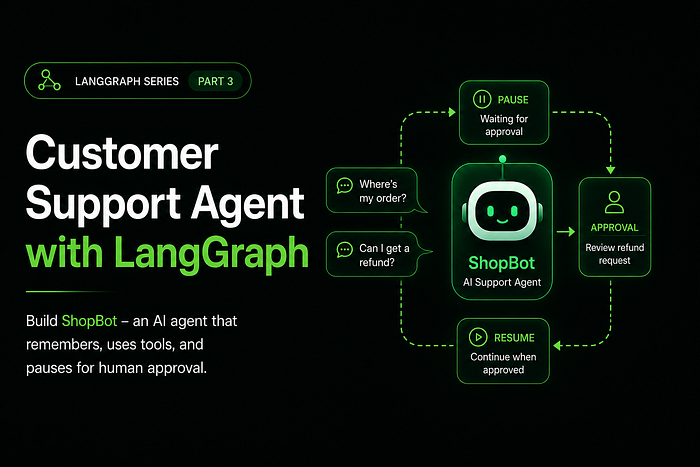
What we’re building: A customer support agent for an e-commerce store called ShopBot. Customers can ask about their orders, request refunds, and escalate complaints. The agent remembers the conversation, uses real tools to look up order data, and pauses for human approval before processing any refund.
Before We Write a Single Line: Understand the Plan
One of the biggest mistakes beginners make is opening a blank file and starting to type. Before you write code, you need to draw the graph on paper or at least in your head. LangGraph rewards planning.
Here is what ShopBot will do:

That’s four nodes, two conditional edges, one interrupt() call, and one summarization trigger. That's the whole agent. Write this down before you start coding. The code is just translating this picture into Python.
Now let’s build it module by module, exactly as you’ve learned.
The Setup
Create a new file called shopbot.py. Or open a Colab notebook. Either works.
Install what you need:
pip install langgraph langchain langchain-openai langgraph-checkpoint-sqlite python-dotenv
Create a .env file in the same folder:
OPENAI_API_KEY=your-key-here
Module 1: Imports & Configuration
This is always the first section. Every import your entire file needs lives here. No importing things halfway down the file.
# ============================================================
# MODULE 1: IMPORTS & CONFIGURATION
# ============================================================
import os
import sqlite3
from typing import Annotated, Literal
from datetime import datetime
from dotenv import load_dotenv
# LangChain - the AI layer
from langchain_openai import ChatOpenAI
from langchain_core.messages import (
 HumanMessage,
 AIMessage,
 SystemMessage,
 BaseMessage,
 RemoveMessage,
)
from langchain_core.tools import tool
# LangGraph - the graph layer
from langgraph.graph import StateGraph, MessagesState, START, END
from langgraph.prebuilt import ToolNode
from langgraph.checkpoint.memory import MemorySaver
from langgraph.types import interrupt, Command
load_dotenv()
# ── The LLM ─────────────────────────────────────────────────
# temperature=0 means deterministic - the agent behaves
# consistently, which is what you want for a support bot.
llm = ChatOpenAI(model="gpt-4o-mini", temperature=0)
Why gpt-4o-mini? It's smart enough for support tasks, cheap enough to run frequently, and fast enough that users won't notice latency. For production you might upgrade to gpt-4o for harder reasoning — but start small.
Module 2: State
The state is your agent’s working memory. Every piece of information that travels through your graph must live here. Think carefully about what your agent needs to know at each stage.
# ============================================================
# MODULE 2: STATE
# ============================================================

class SupportState(MessagesState):
 # MessagesState already gives us:
 # messages: Annotated[list[BaseMessage], add_messages]

 # We add three more fields for our specific needs:
 # The running summary of the conversation (Part 2 pattern).
 # Starts empty. Gets written by summarize_node when conversation gets long.
 summary: str

 # The name of the customer, extracted early in the conversation.
 # Used to personalise every response. Starts empty.
 customer_name: str

 # Tracks the current ticket category, set by the agent.
 # Helps the human reviewer understand context during escalation.
 # Values: "order_inquiry" | "refund_request" | "complaint" | "general"
 ticket_category: str
Why these three fields?
summary — you learned this in Part 2. When the conversation runs past 6 messages, the agent compresses history into this field and deletes old raw messages. Token costs stay flat.
customer_name — a practical field you'll see in almost every real support agent. Once the agent knows who it's talking to, it can greet them by name and personalize responses. Without it in state, each node would have to re-parse the conversation to find the name.
ticket_category — this is what makes the conditional routing possible. The agent sets this field, and the routing function reads it to decide whether to trigger the human approval flow.
Module 3: Tools
Tools are the hands of your agent. Without tools, the agent can only talk. With tools, it can actually look things up and do things.
ShopBot gets three tools:
# ============================================================
# MODULE 3: TOOLS
# ============================================================
# ── Fake Database ────────────────────────────────────────────
# In a real project, these would be database queries or API calls.
# For learning purposes, we use a simple Python dictionary.
ORDERS_DB = {
 "ORD-001": {
 "customer": "Alex",
 "product": "Wireless Headphones",
 "status": "Delivered",
 "amount": 89.99,
 "delivery_date": "2025-06-10",
 },
 "ORD-002": {
 "customer": "Sam",
 "product": "Phone Case",
 "status": "In Transit",
 "amount": 14.99,
 "delivery_date": "Expected 2025-06-18",
 },
 "ORD-003": {
 "customer": "Jordan",
 "product": "Laptop Stand",
 "status": "Processing",
 "amount": 45.00,
 "delivery_date": "Expected 2025-06-20",
 },
}

@tool
def lookup_order(order_id: str) -> str:
 """Look up the details of a customer's order by order ID.
 Use this when the customer provides an order number and wants
 to know the status, product name, or delivery date of their order.
 Args:
 order_id: The order ID string, e.g. 'ORD-001'
 Returns:
 A formatted string with full order details, or an error message
 if the order is not found.
 """
 order = ORDERS_DB.get(order_id.upper())
 if not order:
 return f"No order found with ID '{order_id}'. Please double-check the order number."
 return (
 f"Order {order_id.upper()}: {order['product']} | "
 f"Status: {order['status']} | "
 f"Amount: ${order['amount']:.2f} | "
 f"Delivery: {order['delivery_date']}"
 )

@tool
def check_refund_eligibility(order_id: str) -> str:
 """Check whether an order is eligible for a refund.
 Use this BEFORE processing any refund request. An order is eligible
 for a refund only if its status is 'Delivered'. Orders Fthat are
 'In Transit' or 'Processing' cannot be refunded yet.
 Args:
 order_id: The order ID string, e.g. 'ORD-001'
 Returns:
 A string stating whether the order is eligible and why.
 """
 order = ORDERS_DB.get(order_id.upper())
 if not order:
 return f"Cannot check refund: order '{order_id}' not found."
 if order["status"] == "Delivered":
 return (
 f"Order {order_id.upper()} IS eligible for a refund. "
 f"Product: {order['product']}, Amount: ${order['amount']:.2f}. "
 f"Proceed to refund processing."
 )
 else:
 return (
 f"Order {order_id.upper()} is NOT eligible for a refund yet. "
 f"Current status: {order['status']}. Refunds are only available "
 f"for delivered orders."
 )

@tool
def process_refund(order_id: str, reason: str) -> str:
 """Process a refund for a delivered order.
 IMPORTANT: This tool actually issues the refund. It should only be
 called AFTER human approval has been obtained. Never call this tool
 without prior confirmation.
 Args:
 order_id: The order ID to refund
 reason: The customer's stated reason for the refund
 Returns:
 A confirmation string with the refund reference number.
 """
 order = ORDERS_DB.get(order_id.upper())
 if not order:
 return f"Refund failed: order '{order_id}' not found."
 # In a real system, this would hit your payments API.
 refund_ref = f"REF-{order_id.upper()}-{datetime.now().strftime('%H%M%S')}"
 return (
 f"Refund APPROVED and PROCESSED. Reference: {refund_ref}. "
 f"${order['amount']:.2f} will be returned to the original payment method "
 f"within 3–5 business days. Reason logged: '{reason}'."
 )

# ── Collect tools and bind to LLM ───────────────────────────
# All three tools in one list.
tools = [lookup_order, check_refund_eligibility, process_refund]
# llm_with_tools = the LLM that KNOWS about the tools and can decide to call them.
# This is what we use inside agent_node.
llm_with_tools = llm.bind_tools(tools)
# tool_node = the pre-built node that EXECUTES whatever tool the LLM chose.
# This is what we register in Module 6.
tool_node = ToolNode(tools)
The Docstring Rule — One More Time
Look at the docstring for process_refund. It says "This tool actually issues the refund. It should only be called AFTER human approval." The LLM reads this. It informs the LLM's decision-making. Write docstrings as if you're giving instructions to a smart intern who doesn't know your business rules yet — because that's exactly what you're doing.
Module 4: Nodes
This is where the work happens. Each node receives state, does something, and returns a dictionary of updates. Nothing else.
ShopBot has three nodes you write yourself, plus tool_node from Module 3 (pre-built).
# ============================================================
# MODULE 4: NODES
# ============================================================

# ── The System Prompt ────────────────────────────────────────
# Written once, used in every call to the LLM from agent_node.
# This is the personality and rulebook of your agent.

SYSTEM_PROMPT = """You are ShopBot, a friendly and professional customer support \
agent for an e-commerce store.
Your capabilities:
- Look up order details using the lookup_order tool
- Check if an order qualifies for a refund using check_refund_eligibility
- Process approved refunds using the process_refund tool
Your rules:
- Always greet the customer by name once you know it
- Always check refund eligibility BEFORE attempting to process a refund
- For refund requests, set ticket_category to "refund_request" in your reasoning
- Be empathetic, clear, and concise
- If you cannot help, offer to escalate to a human agent
Important: The process_refund tool requires prior human approval. Do not call it \
unless the conversation shows that a human has already approved the refund."""

# ── Node 1: agent_node ──────────────────────────────────────
def agent_node(state: SupportState) -> dict:
 """The brain of the operation. Reads state, calls the LLM, and decides
 whether to use a tool, give a final answer, or do something else.
 This node handles two cases:
 1. Normal conversation - just call the LLM and respond
 2. Long conversation - if a summary exists, prepend it so the LLM
 has context without seeing all the raw messages
 """

 # Part 2 pattern: check for an existing summary
 summary = state.get("summary", "")
 if summary:
 # Build context: system prompt + compressed history + recent messages
 system_with_summary = SystemMessage(
 content=f"{SYSTEM_PROMPT}\n\nSummary of conversation so far:\n{summary}"
 )
 messages_to_send = [system_with_summary] + state["messages"]
 else:
 # No summary yet - full history is short enough to send as-is
 system_msg = SystemMessage(content=SYSTEM_PROMPT)
 messages_to_send = [system_msg] + state["messages"]
 # Call the LLM. It sees tools and can choose to call one.
 response = llm_with_tools.invoke(messages_to_send)

 # Detect ticket category from the response for routing purposes.
 # A smarter version would have the LLM explicitly set this -
 # for now, we scan for keywords.
 content_lower = response.content.lower() if response.content else ""
 updates: dict = {"messages": [response]}
 if "refund" in content_lower or (
 hasattr(response, "tool_calls")
 and any("refund" in str(tc).lower() for tc in (response.tool_calls or []))
 ):
 updates["ticket_category"] = "refund_request"
 return updates

# ── Node 2: review_refund ───────────────────────────────────
def review_refund(state: SupportState) -> dict:
 """The human approval gate. Pauses execution, shows the pending refund
 details to a human agent, and waits for their decision.
 This implements the Part 3 interrupt() pattern. Execution stops here
 until someone calls graph.invoke(Command(resume=...), config).
 Three outcomes the human can choose:
 - "approve" → let the refund tool call proceed unchanged
 - "reject" → cancel the refund, send a message to the customer
 - "escalate" → hand the entire ticket to a human support agent
 """

 last_message = state["messages"][-1]
 # Find the refund-related tool call in the last AI message.
 # We look for process_refund specifically - the "real action" tool.
 refund_tool_call = None
 if hasattr(last_message, "tool_calls"):
 for tc in last_message.tool_calls:
 if "refund" in tc["name"].lower():
 refund_tool_call = tc
 break

 # Surface the context to the human reviewer via interrupt().
 # Everything in this dict is what the human sees before deciding.
 human_decision = interrupt({
 "message": "⚠️ Refund approval required",
 "customer_name": state.get("customer_name", "Unknown"),
 "tool_being_called": refund_tool_call["name"] if refund_tool_call else "refund tool",
 "arguments": refund_tool_call["args"] if refund_tool_call else {},
 "conversation_summary": state.get("summary", "No summary yet"),
 "options": ["approve", "reject", "escalate"],
 })

 # ── Handle the human's decision ─────────────────────────
 if human_decision == "approve":
 # Do nothing to state - let tool_node execute the tool call as-is
 return {}
 elif human_decision == "reject":
 # Cancel the tool call. The LLM will see a ToolMessage explaining why,
 # and generate a polite response to the customer.
 from langchain_core.messages import ToolMessage
 return {
 "messages": [
 ToolMessage(
 content=(
 "Refund request was reviewed and declined by our support team. "
 "Please inform the customer politely and offer alternatives."
 ),
 tool_call_id=refund_tool_call["id"] if refund_tool_call else "unknown",
 )
 ]
 }
 elif human_decision == "escalate":
 # Signal escalation - in a real system you'd open a ticket,
 # ping Slack, or transfer to a live agent queue.
 from langchain_core.messages import ToolMessage
 return {
 "messages": [
 ToolMessage(
 content=(
 "This ticket has been escalated to a senior support agent. "
 "Inform the customer that a human agent will contact them "
 "within 2 business hours."
 ),
 tool_call_id=refund_tool_call["id"] if refund_tool_call else "unknown",
 )
 ]
 }
 # Fallback - treat as approve
 return {}

# ── Node 3: summarize_node ──────────────────────────────────
def summarize_node(state: SupportState) -> dict:
 """Triggered when the conversation exceeds 6 messages. Compresses the
 full message history into a short summary, then deletes old raw messages.
 This is the rolling summary pattern from Part 2. The summary grows
 richer turn by turn. Token costs stay nearly flat no matter how long
 the conversation runs.
 """

 existing_summary = state.get("summary", "")
 if existing_summary:
 # Extend the existing summary with new messages
 summary_instruction = (
 f"Current summary:\n{existing_summary}\n\n"
 "Extend this summary with the new messages above. "
 "Keep it under 5 sentences. Focus on: the customer's name, "
 "their issue, any orders mentioned, and what actions were taken."
 )
 else:
 # First time summarising
 summary_instruction = (
 "Summarise this customer support conversation in under 5 sentences. "
 "Include: the customer's name (if mentioned), their issue, "
 "any order numbers discussed, and what actions were taken so far."
 )

 messages = state["messages"] + [HumanMessage(content=summary_instruction)]
 response = llm.invoke(messages) # Plain llm, no tools needed here
 # Delete all but the 2 most recent messages.
 # The summary now holds everything that was in the deleted messages.
 messages_to_delete = [
 RemoveMessage(id=m.id) for m in state["messages"][:-2]
 ]
 return {
 "summary": response.content,
 "messages": messages_to_delete,
 }
Module 5: Edges & Routing
Routing functions are the decision-makers. They look at state and return a string. That’s all they do. They never modify state — that’s the nodes’ job.
ShopBot needs two routing functions:
# ============================================================
# MODULE 5: EDGES & ROUTING
# ============================================================

def route_after_agent(state: SupportState) -> Literal[
 "review_refund", "tools", "summarize_node", "__end__"
]:
 """Called after agent_node runs. Decides what happens next.
 Four possible routes:
 1. The LLM wants to call process_refund → must go through human review first
 2. The LLM wants to call any other tool → go directly to tool_node
 3. The LLM gave a plain text answer AND the conversation is long → summarise
 4. The LLM gave a plain text answer and conversation is short → we're done
 """
 last_message = state["messages"][-1]
 has_tool_calls = hasattr(last_message, "tool_calls") and bool(last_message.tool_calls)
 if has_tool_calls:
 # Check if ANY of the tool calls is the sensitive process_refund tool
 tool_names = [tc["name"] for tc in last_message.tool_calls]
 if "process_refund" in tool_names:
 return "review_refund" # → Pause for human approval first
 return "tools" # → Safe tool, run it directly
 # No tool call - the LLM gave a plain response.
 # Check if the conversation is long enough to need summarisation.
 if len(state["messages"]) > 6:
 return "summarize_node"
 return "__end__" # → Conversation turn is complete

def route_after_review(state: SupportState) -> Literal["tools", "agent_node"]:
 """Called after review_refund runs (i.e., after the human has decided).
 Two routes:
 1. Human approved or escalated → run the tool (tool_node handles the call)
 2. Human rejected → the review node already added a ToolMessage cancelling
 the tool call, so skip tool_node and go back to agent_node to respond
 """
 last_message = state["messages"][-1]
 # If the last message is a ToolMessage, the review node cancelled the call.
 # Go back to agent_node so it can generate a customer-facing response.
 from langchain_core.messages import ToolMessage
 if isinstance(last_message, ToolMessage):
 return "agent_node"
 # Otherwise, the review node returned {} (approved) - proceed to tools.
 return "tools"
Module 6: Graph Assembly
This is construction day. All the pieces exist. Now you wire them together. Follow the five-step sequence every time: Initialize → Register → Entry → Edges → Compile.
# ============================================================
# MODULE 6: GRAPH ASSEMBLY
# ============================================================

# ── Step 1: Initialize ──────────────────────────────────────
graph_builder = StateGraph(SupportState)
# ── Step 2: Register All Nodes ──────────────────────────────
# Format: add_node("string_name", function)
# The string name is what you use in every edge definition below.
graph_builder.add_node("agent_node", agent_node)
graph_builder.add_node("tools", tool_node) # Pre-built from Module 3
graph_builder.add_node("review_refund", review_refund)
graph_builder.add_node("summarize_node", summarize_node)
# ── Step 3: Set Entry Point ─────────────────────────────────
# The first node that runs when a user sends a message.
graph_builder.add_edge(START, "agent_node")
# ── Step 4: Wire the Edges ──────────────────────────────────
# After agent_node: conditional - depends on what the LLM decided
graph_builder.add_conditional_edges(
 "agent_node", # Source
 route_after_agent, # Router function from Module 5
 {
 "review_refund": "review_refund", # Refund tool → human review first
 "tools": "tools", # Other tools → run directly
 "summarize_node": "summarize_node", # Long conversation → summarise
 "__end__": END, # Plain answer → done
 }
)
# After review_refund: conditional - depends on human's decision
graph_builder.add_conditional_edges(
 "review_refund",
 route_after_review,
 {
 "tools": "tools", # Approved → execute the tool
 "agent_node": "agent_node", # Rejected → back to agent to respond
 }
)
# After tools run: always go back to agent_node
# (the ReAct loop - agent sees tool result, decides what to do next)
graph_builder.add_edge("tools", "agent_node")
# After summarization: conversation turn is done
graph_builder.add_edge("summarize_node", END)
# ── Step 5: Compile ─────────────────────────────────────────
# Using MemorySaver for development.
# For production, swap this one line to SqliteSaver or PostgresSaver.
memory = MemorySaver()
shopbot = graph_builder.compile(checkpointer=memory)
Visualising the Graph (Optional but Recommended)
If you’re in a Colab or Jupyter notebook, run this to see a diagram of your graph:
from IPython.display import display, Image
from langchain_core.runnables.graph import MermaidDrawMethod

display(Image(
 shopbot.get_graph().draw_mermaid_png(
 draw_method=MermaidDrawMethod.API
 )
))
This is one of the best features of LangGraph for learners — you can see exactly what you built, drawn as a real flowchart. If something looks wrong in the diagram, something is wrong in your edges.
Module 7: Entrypoint
This is where you run the agent. For a script, it’s the if __name__ == "__main__" block. For an API server, it's your route handler. The pattern is the same either way.
# ============================================================
# MODULE 7: ENTRYPOINT
# ============================================================

def run_shopbot():
 """
 Interactive command-line session with ShopBot.
 Demonstrates: multi-turn conversation, tool use, and human-in-the-loop.
 """
 print("=" * 55)
 print(" ShopBot - Customer Support Agent")
 print(" Powered by LangGraph")
 print("=" * 55)
 print("Type your message below. Type 'exit' to quit.")
 print("Type 'state' to inspect what ShopBot currently remembers.\n")
 # One config per session.
 # thread_id is the session key - same ID = same memory thread.
 # Change the ID to start a completely fresh conversation.

 config = {"configurable": {"thread_id": "customer-session-001"}}
 while True:
 user_input = input("You: ").strip()
 if not user_input:
 continue
 if user_input.lower() == "exit":
 print("ShopBot: Thank you for contacting support. Have a great day!")
 break

 # ── Debug: inspect current state ────────────────────
 if user_input.lower() == "state":
 snapshot = shopbot.get_state(config)
 print("\n[DEBUG] Current State:")
 print(f" Messages in state : {len(snapshot.values.get('messages', []))}")
 print(f" Customer name : {snapshot.values.get('customer_name', '(not set)')}")
 print(f" Ticket category : {snapshot.values.get('ticket_category', '(not set)')}")
 print(f" Summary : {snapshot.values.get('summary', '(none yet)')}")
 print(f" Next node(s) : {snapshot.next}\n")
 continue

 # ── Normal message: invoke the graph ─────────────────
 result = shopbot.invoke(
 {"messages": [HumanMessage(content=user_input)]},
 config=config,
 )

 # ── Check if graph paused for human approval ─────────
 # This is how you detect that interrupt() was called inside review_refund.
 while "__interrupt__" in result:
 interrupt_data = result["__interrupt__"][0].value
 print("\n" + "=" * 55)
 print(" HUMAN APPROVAL REQUIRED")
 print("=" * 55)
 print(f" Customer : {interrupt_data.get('customer_name', 'Unknown')}")
 print(f" Action : {interrupt_data.get('tool_being_called', 'refund')}")
 print(f" Arguments : {interrupt_data.get('arguments', {})}")
 print(f" Context : {interrupt_data.get('conversation_summary', 'N/A')}")
 print("=" * 55)
 print("Options: [a] Approve [r] Reject [e] Escalate")
 human_choice = input("Your decision: ").strip().lower()
 if human_choice == "a":
 resume_value = "approve"
 elif human_choice == "r":
 resume_value = "reject"
 elif human_choice == "e":
 resume_value = "escalate"
 else:
 print("Invalid choice. Defaulting to reject.")
 resume_value = "reject"
 # Resume the graph with the human's decision.
 # Command(resume=...) answers the pending interrupt() call.
 result = shopbot.invoke(
 Command(resume=resume_value),
 config=config,
 )

 # ── Print the agent's final response ─────────────────
 last_message = result["messages"][-1]
 print(f"\nShopBot: {last_message.content}\n")

if __name__ == "__main__":
 run_shopbot()
Running It: What a Real Conversation Looks Like
Here is a full example session so you know what to expect when you run this.
=======================================================
 ShopBot — Customer Support Agent
 Powered by LangGraph
=======================================================

Type your message below. Type 'exit' to quit.
Type 'state' to inspect what ShopBot currently remembers.

You: Hi, my name is Alex and I need help with order ORD-001
ShopBot: Hi Alex! I'd be happy to help you with order ORD-001.
I can see your order:
- Product: Wireless Headphones
- Status: Delivered on 2025-06-10
- Amount: $89.99
What can I help you with regarding this order?
You: I want to return it and get a refund
ShopBot: I've checked your order ORD-001 and it's eligible for a refund
since it's been delivered. Let me process that for you right away.


=======================================================
 HUMAN APPROVAL REQUIRED
=======================================================

 Customer : Alex
 Action : process_refund
 Arguments : {'order_id': 'ORD-001', 'reason': 'Customer requested return'}
 Context : No summary yet
=======================================================

Options: [a] Approve [r] Reject [e] Escalate
Your decision: a
ShopBot: Great news, Alex! Your refund has been successfully processed.
Refund Reference: REF-ORD-001-143022
Amount: $89.99 will be returned to your original payment method within
3–5 business days.

Is there anything else I can help you with?
You: state
[DEBUG] Current State:
 Messages in state : 6
 Customer name : (not set)
 Ticket category : refund_request
 Summary : (none yet)
 Next node(s) : ()
You: exit
ShopBot: Thank you for contacting support. Have a great day!
What You Just Built and Why It Matters
Let’s be explicit about what every part of this project maps to in the series:
From Part 1 (Architecture): The entire seven-module file structure. Every module in exactly the right order. StateGraph, add_node, add_conditional_edges, compile — all used correctly.
From Part 2 (Memory): The summary field in state. The summarize_node function. The rolling summary pattern — new messages get compressed, old ones deleted, token costs stay flat. The MemorySaver checkpointer keeping conversation history alive across turns.
From Part 3 (Human-in-the-Loop): The review_refund node using interrupt() to pause execution. The Command(resume=...) call in the entrypoint to resume. The while "__interrupt__" in result loop to handle cases where multiple approvals might be needed in a single turn. The three-option approval flow (approve / reject / escalate).
New in this project: Real tools with @tool. The ToolNode pre-built node. Binding tools to the LLM with bind_tools. The ReAct loop (tools → agent_node → tools → ...). Conditional routing that treats different tools differently (safe tools go straight to tool_node; sensitive tools go through review_refund first).
Extending This Project (Your Next Steps)
The project above is deliberately complete but minimal. Here are three specific things to add next, in order of difficulty:
Level 1 — Better category detection: Right now, ticket_category is set by keyword scanning in agent_node. A cleaner approach is to ask the LLM to explicitly categorize the ticket as part of its response, using structured output. Look up with_structured_output() in LangChain docs.
Level 2 — SQLite persistence: Swap MemorySaver() for SqliteSaver (one line change in Module 6). Add a simple loop that asks "same session or new?" at startup. Your conversations now survive restarts. You learned exactly how to do this in Part 2.
Level 3 — Add a complaint escalation path: Add a fourth node called escalate_node that fires when ticket_category == "complaint" and the customer_emotion is "FRUSTRATED". The node calls interrupt() to notify a human agent. Wire it in as a new branch off route_after_agent. Everything you need for this is already in Part 3.
The Keyword Summary for This Project
Everything new this project introduced, in one place:
ToolNode(tools) — pre-built node that executes tool calls from the LLM's last message. Takes your tools list, handles everything else automatically.
llm.bind_tools(tools) — connects your tool list to the LLM. After binding, the LLM can choose to call any tool by returning a special tool_calls field in its response instead of plain text.
@tool — decorator that turns a Python function into an LLM-callable tool. The function's docstring is what the LLM reads to decide when to use it.
hasattr(message, "tool_calls") and message.tool_calls — the standard pattern for checking if the LLM's last message contains a tool call. Always check hasattr first before accessing the attribute.
while "__interrupt__" in result — the loop pattern in Module 7 that handles one or more pending interrupt() calls. Each Command(resume=...) answers one interrupt and potentially triggers the next.
shopbot.get_state(config) — inspect the full current state at any point. .values gives you the state dict. .next tells you what would run next. Invaluable for debugging.
Conclusion: The Map Is Not the Territory
Reading Parts 1, 2, and 3 gave you the map. This project is the first step into the territory.
The gap between understanding a concept and writing the code for it is real, and it’s filled by exactly this kind of project — something small enough to hold in your head completely, but complete enough to use every tool in your toolkit. You have a checkpointer. You have real tools. You have a human approval gate. You have a summarization trigger. Every major concept from the series, working together in one coherent agent.
Build this. Break it deliberately. Fix the break. Then extend it. That’s the only path from reading articles to writing production code.
Next in the series: Multi-Agent Systems — splitting ShopBot into specialist sub-agents (a Refund Agent, an Order Agent, a Complaints Agent) orchestrated by a Supervisor, and connecting them using LangGraph’s subgraph pattern.
For other parts of the series : Part 0 , Part 1 , Part 2 , Part 3
Join thousands of data leaders on the AI newsletter. Join over 80,000 subscribers and keep up to date with the latest developments in AI. From research to projects and ideas. If you are building an AI startup, an AI-related product, or a service, we invite you to consider becoming a sponsor.
Published via Towards AI
Towards AI Academy
We Build Enterprise-Grade AI. We'll Teach You to Master It Too.
15 engineers. 100,000+ students. Towards AI Academy teaches what actually survives production.
Start free — no commitment:
→ 6-Day Agentic AI Engineering Email Guide — one practical lesson per day
→ Agents Architecture Cheatsheet — 3 years of architecture decisions in 6 pages
Our courses:
→ AI Engineering Certification — 90+ lessons from project selection to deployed product. The most comprehensive practical LLM course out there.
→ Agent Engineering Course — Hands on with production agent architectures, memory, routing, and eval frameworks — built from real enterprise engagements.
→ AI for Work — Understand, evaluate, and apply AI for complex work tasks.
Note: Article content contains the views of the contributing authors and not Towards AI.
Related posts
Recent Posts