
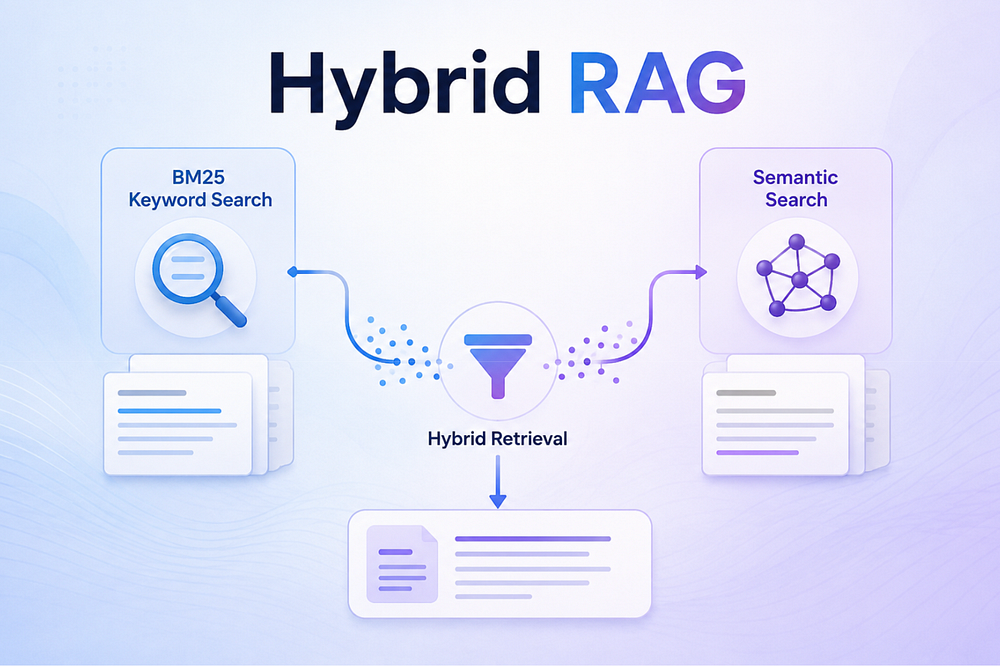
Build a Hybrid RAG System with FAISS, BM25, LangGraph and Claude Sonnet Model
Last Updated on June 22, 2026 by Editorial Team
Author(s): Alpha Iterations
Originally published on Towards AI.
Build a Hybrid RAG System with FAISS, BM25, LangGraph and Claude Sonnet Model
Combine semantic search and keyword search into one powerful document Q&A app using Claude Sonnet 4.6 API, step by step tutorial

Non members read here for free.
Introduction
With the rapid advancement of Large Language Models and vector embeddings, Retrieval-Augmented Generation (RAG) has become the go-to solution for querying unstructured documents. Upload a PDF, ask a question, get an answer. It feels like magic.
But sometimes, it is not enough.
The silent failure mode of most RAG systems is not the LLM. It is the retrieval step. Dense vector search is powerful at finding semantically similar text. It understands that “urban spending” and “city expenditure” mean the same thing. But ask it for a specific error code, a contract clause number, or a precise financial figure, and it can silently return the wrong chunks with high confidence.
On the other hand, keyword search like BM25 nails exact matches every time. But it has no concept of meaning. “Automobile” and “car” are completely different strings to it, and any paraphrased question will leave it lost.
The uncomfortable truth is that neither retriever is universally better. Each dominates on a different class of queries. And in real-world documents like legal contracts, financial reports, and technical manuals, you will always have both kinds.
Hybrid RAG solves this by running both retrievers in parallel and fusing their results using Reciprocal Rank Fusion. You get the semantic understanding of vector search and the precision of keyword search, in a single ranked list, at near-zero extra cost.
In this article, we will build a complete Hybrid RAG system from scratch. FAISS for dense search, BM25 for keyword search, and Reciprocal Rank Fusion to merge the two ranked lists into a single, better-ranked result LangGraph for orchestration, and a Streamlit UI where you can toggle between retrieval modes and inspect every chunk and score behind each answer.
Real-world use cases this solves
- Legal teams querying contracts for specific clause numbers (exact match) as well as intent (semantic)
- Financial analysts asking about EBITDA definitions and quarterly revenue figures in earnings reports
- Support engineers searching error codes in technical manuals while also asking about root-cause explanations
- Research teams querying across dozens of papers for both exact citations and conceptual similarity
The complete end to end code can be referred to my github repo:
agentic-ai-usecases/beginner/hybrid-rag at main · alphaiterations/agentic-ai-usecases
This repository consists of agentic ai usecases. . Contribute to alphaiterations/agentic-ai-usecases development by…
github.com
The Problem with Single-Mode Retrieval
Before jumping into code, it helps to understand why hybrid retrieval matters.
Dense vector search
Converts text into high-dimensional embeddings and finds the nearest neighbours by cosine similarity. It excels at paraphrasing: ‘What is the profit margin?’ finds chunks that say ‘net income as a percentage of revenue’ even though none of those words overlap with the query. But it can silently skip a chunk that contains ERR_4021 because that token was rare in training data and sits in an odd region of the embedding space.
BM25
Best Match 25 is a classical information retrieval algorithm based on term frequency and inverse document frequency. It scores documents based on how many query words appear in them and how rare those words are across the whole corpus. It nails exact matches, part numbers, named entities, and specific terminology. The weakness is that it has no semantic understanding at all, so ‘automobile’ and ‘car’ are completely different words to BM25.

Hybrid retrieval
Combines both signals. The merged ranked list tends to surface chunks that are simultaneously semantically relevant and lexically relevant, which is exactly what you want when your document contains a mix of technical terms and descriptive prose.

The question is:
How do we decide which chunk to prioritize?
RRF is the answer.
RRF (Reciprocal Reranking Fusion):
RRF is a rank-based merging algorithm that combines multiple ranked lists into a single, unified ranking without caring about the raw score values from any individual retriever.
Instead of asking “which chunk scored highest overall?”, it asks “which chunk appeared near the top of the most lists?”

The formula is simple:
RRF score(d) = Σ 1 / (k + rank(d, list))
where k is a smoothing constant (typically 60) and rank(d, list) is the 1-indexed position of chunk d in a given retriever’s result list. The sum runs over every retriever that returned the chunk.

A few properties make RRF especially well-suited for hybrid retrieval:
- Score-scale agnostic: Cosine similarity from FAISS sits in the range [-1, 1]. BM25 scores are unbounded and document-length-dependent. These two numbers are not comparable you cannot simply average them. RRF sidesteps the problem entirely by converting everything to ranks first.
- Rewards cross-list agreement: A chunk that ranks 1st in BM25 and 2nd in vector search scores higher than a chunk that ranks 1st in only one list. The fusion step amplifies agreement, which is exactly the signal you want.
- Robust to outliers: A single retriever that confidently returns a wrong chunk at rank 1 can only contribute
1 / (60 + 1) ≈ 0.016to the RRF score. If the other retriever did not return that chunk at all, it goes nowhere near the top.
In practice, this means: when both retrievers agree on a chunk, it rises to the top. When only one retriever surfaces it, it still gets credit but not enough to dominate if another chunk had broader support.
System Architecture
Here is the full architecture of what we are going to build:

Architecture note: Key design decision: FAISS and BM25 indexes live in Streamlit
session_statenot inside LangGraph state. LangGraph state needs to be serialisable, and FAISS index objects are not. The nodes access the indexes through closures, keeping the graph state clean.
Architecture Components:
Below are the architectural components we are using in the project:

We are going to use Claude Sonnet-4.6 API for LLM.
Project Structure
Complete code is kept here:
agentic-ai-usecases/beginner/hybrid-rag at main · alphaiterations/agentic-ai-usecases
This repository consists of agentic ai usecases. . Contribute to alphaiterations/agentic-ai-usecases development by…
github.com
hybrid-rag/
├── app.py # Streamlit two-column UI
├── graph.py # LangGraph StateGraph + indexing helper
├── retriever/
│ ├── vector_retriever.py # FAISS cosine search
│ ├── bm25_retriever.py # BM25 keyword search
│ └── fusion.py # RRF fusion
├── indexer/
│ └── pdf_indexer.py # PyMuPDF extraction + chunker + index builders
├── monitoring/
│ └── chunk_monitor.py # Last-5-query history tracker
├── .env # Your API key goes here
└── requirements.txt
Setting Up the Project
macOS / Linux
mkdir hybrid-rag && cd hybrid-rag
python3.11 -m venv .venv
source .venv/bin/activate
Windows
python3.11 -m venv .venv
.venv\Scripts\activate
Install dependencies
pip install -r requirements.txt
requirements.txt
anthropic==0.104.1
langgraph==1.2.1
faiss-cpu==1.14.2
sentence-transformers==5.5.1
rank_bm25==0.2.2
PyMuPDF==1.27.2.3
streamlit==1.57.0
pandas==3.0.3
numpy==2.4.6
python-dotenv==1.2.2
Add your API key in the .env file
# .env
ANTHROPIC_API_KEY=sk-ant-your-key-here
Note:
sentence-transformerspulls in PyTorch as a dependency. The first install will download around 2 GB. Subsequent runs load from cache.
Step 1: Extracting and Chunking PDFs
The indexer is the foundation of the whole pipeline. It reads raw PDF bytes, extracts text page by page using PyMuPDF, and then cuts the flat token stream into overlapping windows.
pdf_indexer.py: extraction
# indexer/pdf_indexer.py

import fitz # PyMuPDF

def extract_pdf(pdf_bytes: bytes) -> list[tuple[int, str]]:
 doc = fitz.open(stream=pdf_bytes, filetype='pdf')
 pages = []
 for page_num in range(len(doc)):
 text = doc[page_num].get_text('text')
 if text.strip():
 pages.append((page_num + 1, text)) # 1-indexed page numbers
 doc.close()
 return pages
pdf_indexer.py: chunking
def chunk_text(pages, chunk_size=200, overlap=50):
 all_tokens = []
 token_pages = []

 for page_num, text in pages:
 tokens = text.split()
 all_tokens.extend(tokens)
 token_pages.extend([page_num] * len(tokens))

 step = chunk_size - overlap # stride = 150 tokens
 chunks, chunk_pages = [], []
 i = 0

 while i < len(all_tokens):
 window_tokens = all_tokens[i : i + chunk_size]
 chunks.append(' '.join(window_tokens))
 chunk_pages.append(token_pages[i])
 if len(window_tokens) < chunk_size:
 break
 i += step

 return chunks, chunk_pages
Note: Why overlapping chunks? Without overlap, a sentence that spans a chunk boundary gets split in two, and neither half carries full context. A 50-token overlap means each chunk shares its last 50 tokens with the next chunk’s first 50, so key sentences near boundaries appear in at least two chunks and have a higher chance of being retrieved.
Step 2: Building the FAISS and BM25 Indexes
FAISS: dense vector search
import faiss
import numpy as np
from sentence_transformers import SentenceTransformer

_model = None

def _get_model():
 global _model
 if _model is None:
 _model = SentenceTransformer('all-MiniLM-L6-v2')
 return _model

def build_faiss_index(chunks):
 model = _get_model()
 embeddings = model.encode(
 chunks,
 normalize_embeddings=True, # critical for cosine similarity
 show_progress_bar=False,
 batch_size=64,
 )
 embeddings = np.array(embeddings, dtype='float32')
 dim = embeddings.shape[1] # 384 for all-MiniLM-L6-v2
 index = faiss.IndexFlatIP(dim)
 index.add(embeddings)
 return index
One thing to pay attention to: IndexFlatIP computes the inner product (dot product). When you use normalize_embeddings=True, all vectors sit on the unit sphere and inner product equals cosine similarity. This is slightly faster than computing cosine explicitly and gives you the same ranking.
BM25: keyword search
from rank_bm25 import BM25Okapi

def build_bm25_index(chunks):
 tokenized = [chunk.lower().split() for chunk in chunks]
 return BM25Okapi(tokenized)
Note: Lowercase tokenisation here must match the tokenisation at query time. BM25 is case-sensitive by default when using .split(), so both the index build and the query must use .lower() or term frequencies will not match.
Key relationship: both indexes share the same chunks list
The chunk_text() function produces a single (chunks, chunk_pages) tuple that is passed to both build_faiss_index() and build_bm25_index(). Both indexes are position-aligned: the chunk at index i in the FAISS index is the identical string as the chunk at index i in the BM25 corpus. This alignment is what makes RRF fusion possible.
Step 3: Vector Retrieval
The vector retriever encodes the query with the same model used at index time, then runs a nearest-neighbour search:
# retriever/vector_retriever.py

from indexer.pdf_indexer import _get_model # shared singleton

def retrieve(query, faiss_index, chunks, chunk_pages, k=5):
 model = _get_model()
 query_embedding = model.encode(
 [query], normalize_embeddings=True
 )
 query_embedding = np.array(query_embedding, dtype='float32')

 actual_k = min(k, len(chunks))
 scores, indices = faiss_index.search(query_embedding, actual_k)

 results = []
 for score, idx in zip(scores[0], indices[0]):
 if idx == -1: # FAISS padding when index has fewer than k vectors
 continue
 results.append((chunks[idx], float(score), chunk_pages[idx]))

 return results # [(chunk_text, cosine_score, page_num), ...]
Notice that the retriever imports _get_model from the indexer module rather than creating a new SentenceTransformer instance. Loading all-MiniLM-L6-v2 takes about 2 seconds and 90 MB of memory. By sharing the singleton, you pay that cost exactly once per session.
Step 4: BM25 Retrieval
The BM25 retriever is simpler: tokenise the query, ask the index to score all chunks, and return the top-k:
# retriever/bm25_retriever.py

import numpy as np
from rank_bm25 import BM25Okapi

def retrieve(query, bm25_index, chunks, chunk_pages, k=5):
 tokenized_query = query.lower().split()
 scores = bm25_index.get_scores(tokenized_query)

 actual_k = min(k, len(chunks))
 top_indices = np.argsort(scores)[::-1][:actual_k]

 results = []
 for idx in top_indices:
 results.append((chunks[idx], float(scores[idx]), chunk_pages[idx]))

 return results # [(chunk_text, bm25_score, page_num), ...]
Step 5: Reciprocal Rank Fusion
This is the heart of the hybrid system. RRF does not care about the absolute score values from either retriever. Instead, it uses the rank position of each chunk in each list. The formula is:
RRF score(d) = sum( 1 / (k + rank(d)) ) where k = 60
The constant 60 prevents top-ranked chunks from dominating too heavily when two lists disagree. It comes from Cormack, Clarke, and Buettcher (2009) and was chosen empirically across TREC benchmarks.
# retriever/fusion.py

def reciprocal_rank_fusion(vector_results, bm25_results, rrf_k=60):
 vector_map = {chunk: (score, page) for chunk, score, page in vector_results}
 bm25_map = {chunk: (score, page) for chunk, score, page in bm25_results}

 vector_ranks = {chunk: rank + 1 for rank, (chunk, _, _) in enumerate(vector_results)}
 bm25_ranks = {chunk: rank + 1 for rank, (chunk, _, _) in enumerate(bm25_results)}

 all_chunks = list(dict.fromkeys(
 [c for c, _, _ in vector_results] + [c for c, _, _ in bm25_results]
 ))

 fused = []
 for chunk in all_chunks:
 rrf_score = 0.0
 if chunk in vector_ranks:
 rrf_score += 1.0 / (rrf_k + vector_ranks[chunk])
 if chunk in bm25_ranks:
 rrf_score += 1.0 / (rrf_k + bm25_ranks[chunk])

 v_score = vector_map[chunk][0] if chunk in vector_map else 0.0
 b_score = bm25_map[chunk][0] if chunk in bm25_map else 0.0
 page_num = (vector_map.get(chunk) or bm25_map.get(chunk))[1]

 found_by = (
 'Both' if chunk in vector_map and chunk in bm25_map else
 'Vector' if chunk in vector_map else
 'BM25'
 )
 fused.append((chunk, rrf_score, v_score, b_score, page_num, found_by))

 fused.sort(key=lambda x: x[1], reverse=True)
 return fused
Why rank-based fusion works
Imagine chunk A is ranked 1st by vector search (score 0.92) and 3rd by BM25. Chunk B is ranked 2nd by vector search and 1st by BM25. RRF gives:
RRF(A) = 1/(60+1) + 1/(60+3) = 0.01639 + 0.01563 = 0.03202
RRF(B) = 1/(60+2) + 1/(60+1) = 0.01613 + 0.01639 = 0.03252
Chunk B wins because it ranked highly in both lists, even though chunk A had a higher raw cosine score. This cross-list agreement signal is exactly what you want.
Step 6: LangGraph Orchestration
LangGraph lets you model the retrieval pipeline as a directed graph of stateful nodes. Each node receives the full state dict, does its work, and returns a partial update that LangGraph merges back.
State schema
# graph.py

from typing import TypedDict

class RAGState(TypedDict):
 pdf_text: list[str]
 query: str
 vector_results: list[tuple]
 bm25_results: list[tuple]
 fused_chunks: list[tuple]
 answer: str
 prompt_sent: str
 prompt_tokens: int
 completion_tokens: int
 total_tokens: int
 latency_ms: float
Graph factory
from langgraph.graph import StateGraph, START, END

def build_graph(session_state, top_k=5, retrieval_mode='Both'):

 def retrieve_vector_fn(state: RAGState) -> dict:
 if retrieval_mode == 'BM25':
 return {'vector_results': []}
 from retriever.vector_retriever import retrieve
 return {'vector_results': retrieve(
 state['query'], session_state['faiss_index'],
 session_state['chunks'], session_state['chunk_pages'], k=top_k
 )}

 def retrieve_bm25_fn(state: RAGState) -> dict:
 if retrieval_mode == 'Vector':
 return {'bm25_results': []}
 from retriever.bm25_retriever import retrieve
 return {'bm25_results': retrieve(
 state['query'], session_state['bm25_index'],
 session_state['chunks'], session_state['chunk_pages'], k=top_k
 )}

 def fuse_results_fn(state: RAGState) -> dict:
 from retriever.fusion import reciprocal_rank_fusion
 return {'fused_chunks': reciprocal_rank_fusion(
 state['vector_results'], state['bm25_results'], rrf_k=60
 )}

 def generate_answer_fn(state: RAGState) -> dict:
 import anthropic, os, time
 top_chunks = state['fused_chunks'][:top_k]
 context = '\n\n---\n\n'.join(
 f'[Page {c[4]}]\n{c[0]}' for c in top_chunks
 )
 prompt = (
 'You are a helpful assistant. Answer the question using ONLY '
 'the provided context. If the context does not contain enough '
 'information to answer, say so clearly.\n\n'
 f'Context:\n{context}\n\nQuestion: {state["query"]}\n\nAnswer:'
 )
 client = anthropic.Anthropic(api_key=os.environ['ANTHROPIC_API_KEY'])
 t0 = time.time()
 response = client.messages.create(
 model='claude-sonnet-4-6',
 max_tokens=1024,
 messages=[{'role': 'user', 'content': prompt}],
 )
 return {
 'answer': response.content[0].text,
 'prompt_sent': prompt,
 'prompt_tokens': response.usage.input_tokens,
 'completion_tokens': response.usage.output_tokens,
 'total_tokens': response.usage.input_tokens + response.usage.output_tokens,
 'latency_ms': round((time.time() - t0) * 1000, 1),
 }

 graph = StateGraph(RAGState)
 graph.add_node('retrieve_vector', retrieve_vector_fn)
 graph.add_node('retrieve_bm25', retrieve_bm25_fn)
 graph.add_node('fuse_results', fuse_results_fn)
 graph.add_node('generate_answer', generate_answer_fn)
 graph.add_edge(START, 'retrieve_vector')
 graph.add_edge('retrieve_vector', 'retrieve_bm25')
 graph.add_edge('retrieve_bm25', 'fuse_results')
 graph.add_edge('fuse_results', 'generate_answer')
 graph.add_edge('generate_answer', END)
 return graph.compile()

Design note:
build_graph()is called fresh on every query, not once at startup. This is intentional. The factory captures the current top_k and retrieval_mode values through the closure, so changing either control immediately takes effect on the next query without any cache invalidation logic.
Step 7: The Streamlit UI
The app uses a two-column layout. The left column handles document management and configuration. The right column is the chat interface.
# app.py — layout setup
import streamlit as st

st.set_page_config(page_title='Hybrid RAG', page_icon='🔍', layout='wide')
left_col, right_col = st.columns([1, 2], gap='large')
Left column: document panel
with left_col:
 st.header('📄 Documents')
 uploaded_files = st.file_uploader(
 'Upload PDF(s)', type='pdf', accept_multiple_files=True,
 label_visibility='collapsed',
 )
 if uploaded_files:
 uploaded_names = {f.name for f in uploaded_files}
 indexed_names = {m['filename'] for m in st.session_state.file_metadata}
 if uploaded_names != indexed_names:
 with st.spinner('Indexing PDFs...'):
 parse_and_index(uploaded_files, st.session_state)

 retrieval_mode = st.selectbox(
 'Retrieval Type',
 options=['Both', 'Vector', 'BM25'],
 index=0,
 )
 top_k = st.slider('Top K Chunks', min_value=3, max_value=10, value=5)

Running the App
Let’s run the app:
source .venv/bin/activate # macOS/Linux
# .venv\Scripts\activate # Windows

streamlit run app.py
Streamlit opens http://localhost:8501 in your browser automatically.
End-to-end walkthrough
- Upload one or more PDFs using the left panel uploader
- Wait for the ‘Indexed’ badge to appear next to each filename
- Select your retrieval mode (start with ‘Both’)
- Adjust Top K (default 5 works well for most documents)
- Type a question or click one of the five pre-loaded test case buttons
- Hit Send and watch the spinner
- Read the answer in the Answer tab, then switch to Logs to inspect the chunks
Note: Here we are using Governor’s Statement: December 05, 2025 [Link] pdf for our experiment.

The Three Retrieval Modes
This is where the app becomes genuinely useful for experimentation. You can switch modes mid-session and see exactly how the retrieved chunks change for the same query.
Mode 1: Vector Search Only
In this mode, retrieve_bm25_fn returns an empty list immediately without touching the BM25 index. All retrieved chunks are labelled Vector in the Logs tab and highlighted in blue.
Best for: Questions that require semantic understanding. Examples: ‘What is the overall financial health of the company?’ or ‘Summarise the methodology used in section 3.’


Mode 2: BM25 Only
In this mode, retrieve_vector_fn returns an empty list immediately. All retrieved chunks are labelled BM25 and highlighted in amber.
Best for: Questions with specific terminology, product codes, error codes, financial identifiers, or named entities. Examples: ‘What was the CRAR?’
Screenshot: ‘BM25’ selected. Logs tab : all rows highlighted amber, ‘Found By: BM25’. BM25 Score column shows values like 4.2, 3.8, 2.1. Vector Score = 0.0 for all rows.


Mode 3: Hybrid (Both): Recommended
Both retrievers run in full, their top-k lists are merged, and RRF re-ranks the union. Chunks that appear in both lists get a higher RRF score than chunks from either list alone.
Best for: Most real-world queries. A question like ‘What is the status of MGNREGA demand in oct-nov??’ has both a semantic component and an exact-match component.


The Logs Tab: Full Transparency
Every response in the chat history has two tabs: Answer and Logs. The Logs tab gives you complete visibility into what happened:
Retrieval Mode badge (🟢 Both / 🔵 Vector / 🟠 BM25)
 ↓
Top K Chunks table
 Rank | Chunk Preview | Page | Vector Score | BM25 Score | RRF Score | Found By
 (colour-coded: green=Both, blue=Vector, amber=BM25)
 ↓
Prompt Sent to LLM (full text in a code block)
 ↓
Token Usage metrics
 Input Tokens | Output Tokens | Total Tokens
 ↓
Latency
 LLM Call Time in ms

Note: When an answer is wrong, the first place to look is always the retrieved chunks, not the LLM prompt. If the right content is not in the context window, no amount of prompt engineering will fix the answer.
Seeing the Failure Modes Live
The best way to understand why hybrid retrieval matters is to break each mode deliberately. The following four queries were run against the RBI Governor’s Statement (December 2025), a policy document packed with both structured identifiers and descriptive economic prose.
Query 1: Exact identifier, Vector Search only
Query: What does this number indicate 2025–2026/1634?
2025–2026/1634 is a circular reference number. It carries no semantic neighbourhood in embedding space the model has never seen this string during pre-training in a meaningful context.
Result: The retriever returns chunks about monetary policy and interest rates, semantically close but none contain the reference number. The LLM correctly admits it cannot find the answer.

Query 2: Conceptual question, BM25 only
Query: Are people spending more in cities compared to villages?
A paraphrased question about urban versus rural consumption trends. The document uses ‘urban demand’, ‘rural consumption’: none of those words appear in the query.
Result: BM25 scores near zero for every chunk and surfaces unrelated content. ‘cities’ and ‘villages’ are absent from the document.

Query 3: Exact identifier, Hybrid
Query: What does this number indicate 2025–2026/1634? (same as Query 1)
BM25 scores the chunk containing 2025–2026/1634 at the top of its list. RRF fusion places it high enough to enter the context window passed to the LLM.
Result: Specific, accurate answer. The reference is identified correctly.

Query 4: Conceptual question, Hybrid
Query: Are people spending more in cities compared to villages? (same as Query 2)
Vector search handles the semantic intent. BM25 contributes near-zero scores, but the vector results alone are sufficient.
Result: Substantive answer about urban versus rural consumption trends, citing specific data points from the document.

Summary of the results

Performance note: Running both retrievers costs you one extra call to
bm25_index.get_scores()which is a pure CPU operation that takes under 5 ms on a 200-page document. The fusion step is a handful of dictionary lookups. The price for covering both failure modes is essentially zero.
Architecture Decisions Worth Noting
Chunk size of 200 tokens
This is a deliberate middle ground. Too small (under 100 tokens) and each chunk lacks enough context for the LLM to generate a coherent answer. Too large (over 500 tokens) and embeddings have less resolution and BM25 scores become diluted.
rrf_k = 60
This constant comes directly from Cormack, Clarke, and Buettcher (2009). Lower values (like 10) make the top rank matter more; higher values (like 100) flatten the distribution. For document Q&A on professional PDFs, 60 is a solid default.
Extending the System
A few directions worth exploring from here:
- Re-ranking with a cross-encoder: After RRF fusion, run the top-10 chunks through a cross-encoder like
cross-encoder/ms-marco-MiniLM-L-6-v2to re-score using the full query-chunk pair. Adds latency but meaningfully improves precision. - Persistent indexes: Serialize the FAISS index to disk with
faiss.write_index()so you do not need to re-embed on every session restart. - Multi-PDF metadata tracking: Track which PDF each chunk came from, not just which page, so answers can cite specific documents.
- Streaming responses: Use
client.messages.stream()from the Anthropic SDK to stream tokens into the Streamlit UI as they arrive, reducing perceived latency. - Query expansion: Before retrieval, use the LLM to generate 2–3 alternative phrasings of the query and run all of them through both retrievers, then fuse across all result sets.
- Multilingual support, followup questions.
Conclusion
We have built a complete hybrid RAG system that combines FAISS semantic search and BM25 keyword search, fuses their results with Reciprocal Rank Fusion, and routes everything through a LangGraph pipeline to Claude for answer generation. The Streamlit UI gives you real-time control over retrieval mode and full transparency into every chunk, score, token count, and prompt.
The key insight is that retrieval is not a solved problem, and the right approach depends on your query type. Vector-only search handles semantic questions well. BM25 handles exact matches well. Hybrid handles most real queries better than either alone, and the RRF scores in the Logs tab give you the evidence to understand why.
The codebase is deliberately minimal: 11 files, no LangChain abstractions, and every retrieval call is a raw library function you can read in one screen. That makes it straightforward to swap in a different embedding model, add a reranker, or replace FAISS with a hosted vector database as your needs grow.
References
- Cormack, G. V., Clarke, C. L. A., & Buettcher, S. (2009). Reciprocal rank fusion with ties and different k’s. Proceedings of the 18th ACM Conference on Information and Knowledge Management, 1631–1634.
- Sample Document: Governor’s Statement: December 05, 2025 [Link]
- Hybrid Search and Re-Ranking in Production RAG [Link]
- Reciprocal Rank Fusion [Link]
- Get started with Claude API [Link]
- Complete Code Code Repo [Link]
Thank you for reading the article.
AgenticAI is complex and chaotic but getting started doesn’t have to be. I focus on making that first step simpler for you. Follow along for regular updates and more such articles.
Feel free to connect on Linkedin if you’re on a similar path.
And if you’re still curious, there’s more to explore.
- Build Agentic RAG using LangGraph
- Practical Guide to Using ChromaDB for RAG and Semantic Search
- Reading Images with GPT-4o: The Future of Visual Understanding with AI
- Agentic AI Project: Build Mini Perplexity AI Chatbot : Step by Step Guide [Code Included]
- Agentic AI: Build ReAct Agent using LangGraph
- Agentic AI Project: Build a multi-agent system with LangGraph and OpenAI API
- Building an AI Agent with Model Context Protocol (MCP): A Complete Guide
- TOON vs JSON: A Comprehensive Performance Comparison
- Building an Intelligent Resume Transformation Agent Powered by LangGraph and gpt-4o-mini
- Agentic AI Project: Build a Customer Service Chatbot for a Clinic
- Vectorless RAG: How I Built a RAG System Without Embeddings, Databases, or Vector Similarity
- Agentic AI Project: Build AI Agents to chat with YouTube Videos
Join thousands of data leaders on the AI newsletter. Join over 80,000 subscribers and keep up to date with the latest developments in AI. From research to projects and ideas. If you are building an AI startup, an AI-related product, or a service, we invite you to consider becoming a sponsor.
Published via Towards AI
Towards AI Academy
We Build Enterprise-Grade AI. We'll Teach You to Master It Too.
15 engineers. 100,000+ students. Towards AI Academy teaches what actually survives production.
Start free — no commitment:
→ 6-Day Agentic AI Engineering Email Guide — one practical lesson per day
→ Agents Architecture Cheatsheet — 3 years of architecture decisions in 6 pages
Our courses:
→ AI Engineering Certification — 90+ lessons from project selection to deployed product. The most comprehensive practical LLM course out there.
→ Agent Engineering Course — Hands on with production agent architectures, memory, routing, and eval frameworks — built from real enterprise engagements.
→ AI for Work — Understand, evaluate, and apply AI for complex work tasks.
Note: Article content contains the views of the contributing authors and not Towards AI.
Related posts
Recent Posts