


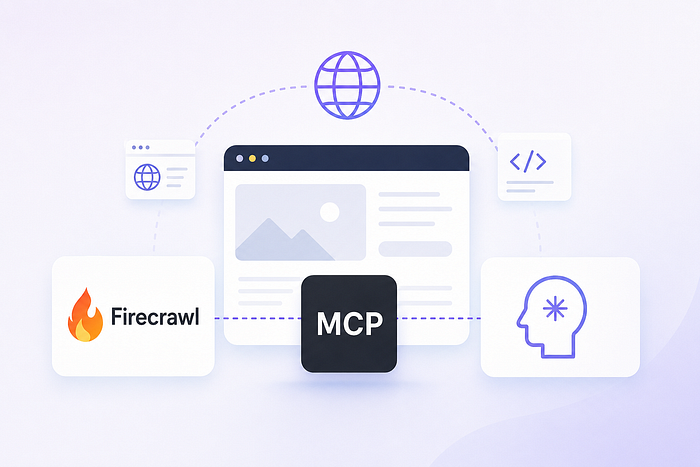
I Wired Firecrawl into Claude via MCP! Here’s the Honest Breakdown.
Last Updated on July 15, 2026 by Editorial Team
Author(s): Jamieparker
Originally published on Towards AI.
I Wired Firecrawl into Claude via MCP! Here’s the Honest Breakdown.
What works, what costs you more than the pricing page says, and the security problem nobody mentions.

My AI agents were frozen in the past. Not slightly behind, but completely stuck at training cutoff, confidently wrong about current pricing pages, updated API docs, and anything that changed in the last six months. The fix was obvious: give them live web access. The hard part was doing it without building a second project just to support the first one.
I’d already gone through the standard path: BeautifulSoup for simple pages, Playwright for JavaScript-heavy ones, custom retry logic when sites blocked me, proxy rotation when they blocked me harder. It worked. But maintaining it was a part-time job with nothing to do with the agent I was actually building.
That’s when I started looking seriously at Firecrawl’s MCP server.
What Firecrawl Is and What It Actually Does

Firecrawl is an API built specifically for AI workflows. You send it a URL, it returns clean markdown or structured JSON, with JavaScript rendering, proxy rotation, and anti-bot bypassing handled on its end.
The output quality is the real differentiator. Raw HTML scraping dumps navigation bars, footers, cookie banners, and ad slots into your agent’s context. Firecrawl strips all of it. The resulting markdown is roughly 93% smaller than raw HTML, which matters when every tool call is burning context window.
The API has six modes, and picking the right one matters for cost:
Scrape pulls a single URL into markdown, HTML, screenshot, or structured JSON. Most tasks start here.
Search queries the open web and returns full page content from results, not just snippets. You get actual readable text from each result page, not title and description.
Crawl walks an entire domain recursively and returns every page as clean markdown. Useful for ingesting full documentation sites into RAG pipelines.
Map discovers all URLs on a site without scraping any content. Run this before a full crawl so you know exactly what you’re about to spend credits on.
Interact clicks, scrolls, types, and waits before scraping. For login-gated pages or anything that needs real browser interaction before content loads.
Agent takes a plain English prompt and handles the navigation itself. Most capable, most expensive, and the one most likely to surprise you on the bill.
Why the MCP Layer Changes Things
Before MCP, adding Firecrawl to an agent meant writing a wrapper, deciding when to trigger the API call, handling the response format, and piping the output back into the agent’s context. Not a massive amount of code, but the kind of boilerplate that clutters every project and breaks when the API changes.
With the MCP server, Claude, Cursor, or Windsurf can call scrape, crawl, search, and interact as native tools without any of that glue code. The model picks whichever tool fits the current task from context. No hardcoded routing logic.
The same JSON config block works across Claude Desktop, Claude Code, and Cursor. Set it up once per project and the tools appear in every client.
Setting It Up
Get an API key from firecrawl.dev, then add this block to your MCP client’s config file:
json
{
 "mcpServers": {
 "firecrawl": {
 "command": "npx",
 "args": ["-y", "firecrawl-mcp"],
 "env": {
 "FIRECRAWL_API_KEY": "fc-YOUR_API_KEY"
 }
 }
 }
}
Restart the client and the Firecrawl tools appear in the MCP server list. In Claude Desktop, this config file lives under Developer settings. In Cursor, it’s Settings > MCP. In Windsurf, it goes into ./codeium/windsurf/model_config.json.
For those who’d rather skip the local install, there’s a remote-hosted server at https://mcp.firecrawl.dev/{FIRECRAWL_API_KEY}/v2/mcp that connects directly without running anything locally.
There is a keyless free tier covering scrape, search, and interact at reduced rate limits. Crawl, map, agent, and extract all require a key. Use the keyless tier to confirm the connection works, then get a key before doing anything real.
Worth noting if you’re already running multiple MCP servers: MCP360 includes a web scraping tool as part of its unified gateway, so you can pull scraping through the same endpoint you’re already using for other tools, without a separate Firecrawl account. For heavy crawling or login-gated pages, Firecrawl’s dedicated modes are more capable. But if scraping is one tool among many, consolidating makes sense.
What I Actually Use It For
Research and article drafting. Drop a topic, the agent searches for sources, scrapes each one into clean markdown, and drafts a brief with citations. What used to be 12 open tabs and an hour of manual summarization is now one prompt and a review pass.
Keeping RAG pipelines current. Documentation drifts. The markdown ingested six months ago often doesn’t match what’s actually deployed. Running Crawl on a schedule keeps the knowledge base accurate without a custom ingestion job.
Cold outreach personalization. When the agent scrapes a company’s homepage before writing, the email opening references something specific. The reply rate difference is measurable.
Changelog and pricing monitoring. I watch vendor pricing pages for changes by scraping on a schedule and asking the model to flag anything that shifted. No diff job to write or maintain.
The Real Costs
This is where Firecrawl’s marketing and reality diverge.
The free tier gives 500 lifetime credits, not 500 per month. You can burn through those in one crawl test. Some sources now list 1,000 monthly credits following a recent change, but verify at firecrawl.dev/pricing before building around any specific number.
The plan prices ($16/month for Hobby, $83/month for Standard) are the floor, not the full bill. Firecrawl runs a dual billing system: credit plans cover Scrape, Crawl, Map, and Search, while the Extract endpoint carries its own separate token-based billing on top of that. Users on Hacker News and Reddit have called it “egregiously expensive,” and that reaction almost always comes from discovering Extract’s separate billing after the fact.
Agent mode costs are the most unpredictable. Independent testing found a single agent query consuming between 100 and 1,500+ credits depending on complexity. Model that cost before committing to a plan if Agent is central to your workflow. Credits don’t roll over on standard plans.
On heavily bot-protected sites, Firecrawl struggles. An independent Proxyway benchmark put its anti-bot success rate at around 33%, last place in that comparison. Dedicated providers like Scrapfly perform better here. If most of your targets are aggressively rate-limited or bot-protected, that’s a real limitation to factor in.
The Security Problems Nobody Mentions
Connecting a scraper to an AI agent opens up attack surfaces that aren’t obvious until something goes wrong.
Indirect prompt injection. A page your agent scrapes can contain hidden instructions that the model reads as commands. OWASP ranks it as the top threat for LLM applications, and real exploits against production AI systems have already been documented. Firecrawl added Lockdown Mode in May 2026 to address this: cache-only scraping with no outbound requests and no data retention. Use it for any workflow where scraped content sits close to system-level instructions. For everything else, treat scraped text as untrusted data, not something the agent should act on directly.
There is an unpatched CVE. CVE-2026–32857 (CVSS 8.6) affects Firecrawl v2.8.0 and earlier. The scraping service validates the initial URL but skips validation on redirect destinations. An attacker can supply a URL that passes the check and then redirects to internal network endpoints. Documented, unresolved, and more relevant if you’re self-hosting than using the managed API.
The MCP server’s own security scan returned 3 high and 25 medium findings, including prompt injection exposure from crawled pages and over-broad tool schemas. For a server designed to pull arbitrary web content, that’s not surprising. But “expected for this type of tool” is not the same as safe to ignore.
The API key sits in plaintext in your MCP config file. Keep it out of version control and rotate it if the config is ever shared or exposed.
Worth It, With Eyes Open
The MCP integration is genuinely well-built. Clean markdown output, six distinct tools covering different levels of scraping complexity, portable config across clients, and a remote hosted option that skips local setup entirely. For pulling live public web content into an agent, it’s the lowest-friction option I’ve tested.
The gaps matter though. Dual billing catches people off guard, agent mode costs are hard to predict, anti-bot performance on protected sites is weak, and there are open security findings on a tool handling arbitrary web content. The MCP server’s last tagged release was September 2025, which makes version tracking harder than it should be.
Start with the Hobby plan at $16/month. Run your actual workload, watch credit consumption closely, and price out agent mode queries before committing to it as a core part of your pipeline. The product earns its 140,000+ GitHub stars. Just go in with accurate cost expectations.
Resources: firecrawl.dev | Firecrawl MCP Server on GitHub | MCP360
Join thousands of data leaders on the AI newsletter. Join over 80,000 subscribers and keep up to date with the latest developments in AI. From research to projects and ideas. If you are building an AI startup, an AI-related product, or a service, we invite you to consider becoming a sponsor.
Published via Towards AI
Towards AI Academy
We Build Enterprise-Grade AI. We'll Teach You to Master It Too.
15 engineers. 100,000+ students. Towards AI Academy teaches what actually survives production.
Start free — no commitment:
→ 6-Day Agentic AI Engineering Email Guide — one practical lesson per day
→ Agents Architecture Cheatsheet — 3 years of architecture decisions in 6 pages
Our courses:
→ AI Engineering Certification — 90+ lessons from project selection to deployed product. The most comprehensive practical LLM course out there.
→ Agent Engineering Course — Hands on with production agent architectures, memory, routing, and eval frameworks — built from real enterprise engagements.
→ AI for Work — Understand, evaluate, and apply AI for complex work tasks.
Note: Article content contains the views of the contributing authors and not Towards AI.
Recent Posts
![Best Object Detection Models for Computer Vision [2026 Updated]](https://miro.medium.com/v2/resize:fit:700/1*J_SSY8rhe8jzEmEriNMumA.gif "Best Object Detection Models for Computer Vision [2026 Updated]")