43 Seconds vs. 30 Minutes: A Deep Dive into Claude Code’s Plan Mode
Last Updated on May 27, 2026 by Editorial Team
Author(s): Ishan Ghosh
Originally published on Towards AI.
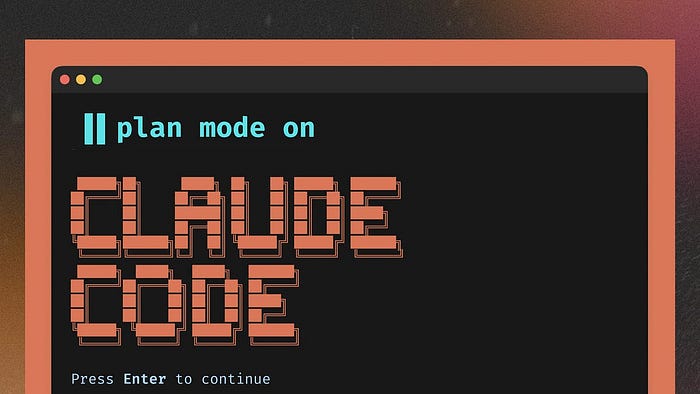
43 Seconds vs. 30 Minutes: A Deep Dive into Claude Code’s Plan Mode
Stop asking AI to do everything at once. The secret to elite outputs isn’t a better prompt — it’s a better process.

We’ve all experienced the magic trick. You stare at a blinking cursor, type out a massive request — “Write a 2,000-word comprehensive guide on Python decorators, complete with code examples, edge cases, and a humorous intro” — and hit Enter.
Then you sit back and watch Claude generate a wall of text in seconds. It feels incredibly powerful.
But if you look closely at that output, the cracks usually start to show. The intro is a bit cliché. The code examples are generic. By the time it reaches the edge cases, the logic is starting to unravel.
When I asked Claude Code to “Build a SQS consumer for client-messages-sqs,” I wanted to see exactly how its default “No-Plan” mode stacked up against the deliberate “Plan” mode.
The results were dramatically different.
No-Plan mode took exactly 43 seconds and delivered a working Node.js implementation. Plan mode took 30 minutes. But what it produced was a production-ready Python system complete with comprehensive testing, Docker/Kubernetes deployment manifests, graceful shutdown handling, structured logging, and 25 passing tests.
This experiment isn’t just a comparison of speed versus thoroughness; it is about understanding which approach fits your specific architectural use case. Let’s dive into the code.
The Setup
To ensure a fair test, I ran the exact same prompt twice:
Build a SQS consumer for client-messages-sqs
I used fresh, empty directories for both attempts, provided no additional context, and captured the real session logs from Claude Code v2.1.142.
No-Plan Mode: The 43-Second Sprint
In No-Plan mode (the default setting), Claude Code jumped straight into execution. Within 43 seconds, it churned out 5 files totaling about 200 lines of code.
The Project Structure
It gave me a standard, flat Node.js boilerplate:
sqs-consumer-noplan/
├── src/
│ └── index.js (81 lines)
├── package.json
├── .env.example
├── .gitignore
└── README.md (57 lines)
The Implementation
The code itself was entirely functional, utilizing AWS SDK v3 for a long-polling implementation. Here is a look at the main loop:
// src/index.js
async function pollMessages() {
 while (true) {
 try {
 const command = new ReceiveMessageCommand({
 QueueUrl: QUEUE_URL,
 MaxNumberOfMessages: MAX_MESSAGES,
 WaitTimeSeconds: WAIT_TIME_SECONDS,
 VisibilityTimeout: VISIBILITY_TIMEOUT,
 });

 const { Messages } = await sqsClient.send(command);

 if (Messages && Messages.length > 0) {
 for (const message of Messages) {
 await processMessage(message);

 await sqsClient.send(new DeleteMessageCommand({
 QueueUrl: QUEUE_URL,
 ReceiptHandle: message.ReceiptHandle,
 }));
 }
 }
 } catch (error) {
 console.error('Error polling messages:', error);
 await new Promise(resolve => setTimeout(resolve, 5000));
 }
 }
}
The Verdict: It was ready to run immediately with npm install && npm start. However, it lacked tests, graceful shutdown capabilities (SIGTERM/SIGINT), structured logging, and type safety. The error handling was just a basic try/catch.
Plan Mode: The 30-Minute Architecture Masterclass
When I enabled Plan mode, the AI paused. Before writing a single line of code, it explored the empty directory and asked clarifying questions about the language, consumer behavior, and runtime environment. I specified Python, requested log/acknowledge functionality, and asked for a long-running process.
It then generated a 787-line implementation plan covering context, project structure, component design, a three-tier error handling strategy, testing, and deployment. After approval, it took 30 minutes to generate 20 files and roughly 2,100 lines of code.
The Project Structure
Notice the immediate shift to a modular, production-ready architecture:
sqs-consumer-plan-mode-on/
├── src/
│ └── sqs_consumer/
│ ├── __init__.py
│ ├── config.py (84 lines)
│ ├── logger.py (76 lines)
│ ├── message_processor.py (100 lines)
│ ├── consumer.py (294 lines)
│ └── main.py (94 lines)
├── tests/
│ ├── unit/
│ │ ├── test_config.py (133 lines)
│ │ └── test_consumer.py (234 lines)
│ └── conftest.py (34 lines)
├── deployments/
│ ├── docker/
│ │ └── Dockerfile (43 lines)
│ └── k8s/
│ ├── deployment.yaml (138 lines)
│ └── secret.yaml (22 lines)
├── pyproject.toml (78 lines)
└── README.md (501 lines)
The Implementation
The resulting code was built for resilience. Instead of a flat script, the system included Pydantic for type-safe configuration, an abstract MessageProcessor interface for extensibility, and proper signal handling for graceful shutdowns.
Take a look at how it handled the retry logic with exponential backoff:
# src/sqs_consumer/consumer.py
def _process_with_retry(self, message: Dict[str, Any]) -> bool:
 """Process message with exponential backoff retry."""
 for attempt in range(1, self.config.max_retries + 1):
 try:
 result = self.processor.process(message)
 if result == ProcessingResult.SUCCESS:
 return True
 except Exception as e:
 if self._is_retryable_error(e):
 if attempt < self.config.max_retries:
 delay = self.config.retry_delay_seconds * (2 ** (attempt - 1))
 logger.warning(
 "Retryable error, will retry",
 attempt=attempt,
 retry_delay_seconds=delay,
 )
 time.sleep(delay)
 continue
 logger.error("Non-retryable error", error=str(e))
 return False

 logger.error("Max retries exceeded")
 return False
The Verdict: Plan mode delivered an enterprise-grade solution. It included 25 passing unit tests (80%+ coverage), a multi-stage Docker build, Kubernetes manifests with autoscaling, and a massive 501-line README with troubleshooting steps.
The Numbers: A Side-by-Side Comparison

Is 30 Minutes Too Long? The ROI of Planning
It’s easy to look at a 40x time difference (43 seconds versus 30 minutes) and assume Plan mode is inefficient. But that difference isn’t overhead — it’s an investment.
If you take the No-Plan Node.js script and attempt to push it to production, you will easily spend 9+ hours manually writing tests, debugging unhandled exceptions, building deployment pipelines, and writing documentation. Plan mode accomplishes all of this built-in for a 30-minute upfront cost.
If the code you are building needs to live in production for more than a week, will be modified by more than one developer, and requires deployment automation, Plan mode pays for itself immediately.
Two Tools, One Toolbox
No-Plan and Plan modes aren’t “better” or “worse” than one another; they are different tools designed for different engineering phases.
- No-Plan Mode = Speed: Perfect for prototypes, learning a new API, or doing quick spike work to explore feasibility.
- Plan Mode = Quality: Built for production systems, team projects, and complex architectures that demand long-term reliability.
The next time you spin up an AI coding assistant, start with the end in mind. If you’re going to maintain it, plan it.
Join thousands of data leaders on the AI newsletter. Join over 80,000 subscribers and keep up to date with the latest developments in AI. From research to projects and ideas. If you are building an AI startup, an AI-related product, or a service, we invite you to consider becoming a sponsor.
Published via Towards AI
Towards AI Academy
We Build Enterprise-Grade AI. We'll Teach You to Master It Too.
15 engineers. 100,000+ students. Towards AI Academy teaches what actually survives production.
Start free — no commitment:
→ 6-Day Agentic AI Engineering Email Guide — one practical lesson per day
→ Agents Architecture Cheatsheet — 3 years of architecture decisions in 6 pages
Our courses:
→ AI Engineering Certification — 90+ lessons from project selection to deployed product. The most comprehensive practical LLM course out there.
→ Agent Engineering Course — Hands on with production agent architectures, memory, routing, and eval frameworks — built from real enterprise engagements.
→ AI for Work — Understand, evaluate, and apply AI for complex work tasks.
Note: Article content contains the views of the contributing authors and not Towards AI.
Related posts
Recent Posts