

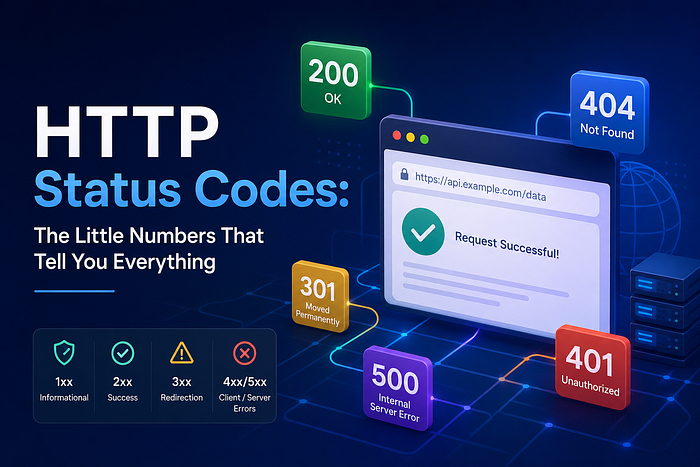
HTTP Status Codes: The Little Numbers That Tell You Everything
Last Updated on August 3, 2026 by Editorial Team
Author(s): Code X
Originally published on Towards AI.
HTTP Status Codes: The Little Numbers That Tell You Everything
200, 404, 500 — do you actually know what your server/browser is trying to tell you?
In this series we will go through the 5 major groups of HTTP status codes, it’s individual meaning and finally some tips . Each one tells you exactly the outcome of a client’s request or an API call which we talked about in this Article.

Introduction
Have you ever ordered food delivery and gotten one of those tracking updates? “Order confirmed.” “Order being prepared.” “Courier is on the way.” “Delivered.” Each one tells you exactly where things stand without you having to call the restaurant and ask. HTTP status codes work the same way. Every time your browser or app talks to a server, the server sends back a little three-digit number that says, in one glance, “here’s what happened to your request.” No status code, no clue. You’d be stuck refreshing the page and hoping for the best.
If you’ve been following this series, you already know that clients send requests and servers send responses, and that data often lives in a database the server has to check or update. Status codes are the missing piece: they tell you whether that whole round trip actually worked.
Now you might be asking what’s actually the definition of HTTP status code? It is a three-digit integer returned by a web server to communicate the exact outcome of a client’s request. They are managed by the IANA HTTP Status Code Registry, these codes act as a standardized handshake to help browsers and developers quickly diagnose how a server processed a client’s request(web browsers)/ API request.
The Postal Service Analogy
Think of status codes like the little slips the post office gives you when you mail a package:
- “Delivery in progress” — Got your package and processing it.
- “Delivered, signed for” — everything went fine and the package has reached it destination.
- “Address doesn’t exist” — you made a mistake filling out the label.
- “Item lost, our fault” — something broke on their end, not yours.
HTTP status codes are grouped into five families using exactly this logic which depend on the first digit of the code.
Five Classes of HTTP Status Codes
- 1xx: Informational Responses
These codes indicate that the server received the initial request and processing is still ongoing. They provide temporary updates before a final response is sent.
- 100 — Continue: The server received the request headers, and the client should proceed to send the request body.
- 101 — Switching Protocols: The server agrees to change the application protocol (e.g., upgrading from HTTP to WebSockets).
- 102 — Processing: It indicate that a request has been received by the server, but no status was available at the time of the response.
- 103 — Early Hit: It’s telling the user agent (web browser) to start preloading resources while the server prepares a response or preconnect to an origin from which the page will need resources.
2. 2xx: Success Responses
Success codes confirm that the client’s request was successfully received, understood, and accepted by the server.
- 200 OK: The standard success code indicating the request worked and data was returned.
- 201 Created: The request succeeded and directly resulted in the creation of a new resource.
- 204 No Content: The action completed successfully, but the server does not need to return any data (common for API DELETE operations).
3. 3xx: Redirection Messages
Redirection codes signal that the client must take an additional automated action, usually fetching a different URL, to complete the request.
- 301 Moved Permanently: The resource was assigned a new permanent URL that clients should use for future requests.
- 302 Found: The resource temporarily resides at a different URL, but the client should keep using the original path.
- 304 Not Modified: Tells the browser that the cached version of the resource is still current, eliminating the need to re-download the data.
4. 4xx: Client Error Responses
These codes highlight issues originating from the client’s side, such as bad syntax, incorrect authentication, or targeting a missing path.
- 400 Bad Request: The server cannot process the request due to client errors, like missing a field or invalid data.
- 401 Unauthorized: Authentication is required. This mean’s that the client must authenticate itself to get the requested response.
- 403 Forbidden: The client’s identity is known, but they do not have the required access permissions to view the resource.
- 404 Not Found: The server understood the request but cannot locate the resource at the specified URL.
- 429 Too Many Requests: The client has exceeded their rate limits by sending too many requests within a given timeframe.
5. 5xx: Server Error Responses
Server errors indicate that the client sent a perfectly valid request, but the server failed internally or is temporarily unable to fulfill it.
- 500 Internal Server Error: Something broke in the server’s code or indicating that the server encountered an unhandled exception or unexpected error.
- 502 Bad Gateway: An intermediary server (a server acting as a middleman server e.g a proxy or CDN) got an invalid response from another server
- 503 Service Unavailable: The server is temporarily unable to handle requests, usually due to active maintenance or capacity overload(too many request).
- 504 Gateway Timeout: This error response is given when the server is acting as a gateway (intermediary)and cannot get a response from the main server in time.
Why This Matters When You’re Building Things
Once you start building your own back end, you’ll be the one choosing which status code to send. Picking the right one isn’t just about following convention, it directly shapes how the client behaves:
- A frontend might automatically retry on a 503 , but never retry on a 404 (since retrying won't make a missing resource appear).
- A login form might show “check your password” specifically on a 401 instead of a generic error message.
- Monitoring tools often alert engineers the moment 5xx responses comes up, since that signals something is actually broken.
Getting these right is a small thing that makes a big difference in how reliable and debuggable your API feels.
TIPS
- A quick way to remember 401 vs 403: 401 is “who are you?” and 403 is “I know who you are, and the answer is no.”
- If you ever see a 500 while testing your own project, that’s your cue to check the server logs, if you have access to the server.
- 3xx and 1xx: The Quiet Ones: You’ll deal with these less often as a beginner, but it’s worth knowing they exist.

And That’s a Wrap!
Status codes are one of those small details that quietly hold the whole request-response system together. Once they click, reading server logs, debugging failed requests, and designing your own API responses will all get a lot less mysterious.
Here’s what we covered:
- Status codes are grouped by their first digit — 1xx through 5xx — and each range has its own “personality”/ use case
- 1xxx mean Informational Responses from server during processing of request, 2xx means success, 3xx means Redirection, 4xx means the client messed up, 5xx means the server messed up
- Specific codes like 200, 201, 400, 401, 403, 404, and 500 come up constantly in real-world APIs
- Choosing the right status code in your own projects makes your API easier to use and debug
If the request/response cycle and status codes make sense now, the natural next step is putting it all together: building and calling a full REST API from scratch, start to finish. That’s exactly what we’ll walk through later in the series.
Closure
I wanted to take a moment to thank you for reading until the end and for being a part of this community.If this helped you understand status codes , give it a clap and drop a comment with any code you’ve run into that confused you. If you know someone just starting out in back-end development, send this their way.
If you want to show some love, please take a moment before you go, to clap, drop a comment and follow the writer️!
If you want more content on this series check this Link
See you in the next one. 🚀
Join thousands of data leaders on the AI newsletter. Join over 80,000 subscribers and keep up to date with the latest developments in AI. From research to projects and ideas. If you are building an AI startup, an AI-related product, or a service, we invite you to consider becoming a sponsor.
Published via Towards AI
Towards AI Academy
We Build Enterprise-Grade AI. We'll Teach You to Master It Too.
15 engineers. 100,000+ students. Towards AI Academy teaches what actually survives production.
Start free — no commitment:
→ 6-Day Agentic AI Engineering Email Guide — one practical lesson per day
→ Agents Architecture Cheatsheet — 3 years of architecture decisions in 6 pages
Our courses:
→ AI Engineering Certification — 90+ lessons from project selection to deployed product. The most comprehensive practical LLM course out there.
→ Agent Engineering Course — Hands on with production agent architectures, memory, routing, and eval frameworks — built from real enterprise engagements.
→ AI for Work — Understand, evaluate, and apply AI for complex work tasks.
Note: Article content contains the views of the contributing authors and not Towards AI.
Related posts
Recent Posts





