

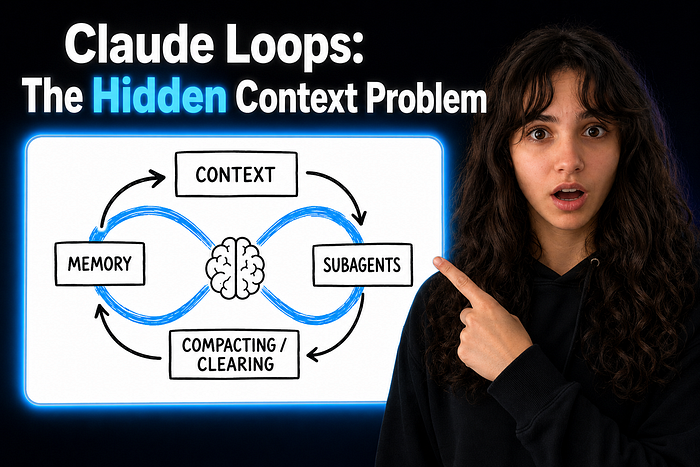
Claude Loops 2: Context Is the Hidden Loop
Last Updated on July 15, 2026 by Editorial Team
Author(s): Sage Holloway 🍓
Originally published on Towards AI.
Claude Loops 2: Context Is the Hidden Loop
Why Claude Code sessions get worse as they get longer, and how to use memory, compacting, clearing, and subagents without drowning the loop.

A clean desk does not make you smarter, but it makes the next decision easier. Claude works the same way. The model may be strong, the tools may be correct, and the prompt may be clear. If the active context is crowded with stale evidence, the loop starts reasoning from a messy bench.
The Loop Has a Working Bench
Why can a Claude Code session feel sharp for one hour and oddly confused in the next?
Because the loop is not running inside empty space. It is running inside a context window.
Anthropic’s Claude Code docs describe that window as the place where session history, file contents, command outputs, CLAUDE.md, auto memory, loaded skills, and system instructions all live while you work. That is a lot of material. Some of it is precious. Some of it is yesterday’s debris wearing a hard hat.
Part 1 of this series was about the basic agent loop: observe, act, inspect, repeat. Part 2 is about the thing that quietly shapes every turn in that loop.
Context is the loop’s working bench.
Claude does not only need more context; it needs the right context close enough to matter.
Memory Is Not the Same as Context
Why does this distinction matter so much?
Because people use the word memory for everything, and that makes Claude Code harder to operate.
Claude Code has persistent instruction and memory systems. CLAUDE.md files carry project, user, or organization instructions across sessions. Auto memory can store learnings based on your corrections and preferences. The docs are careful about the boundary: Claude treats these as context, not enforced configuration.
That last phrase matters.
If you write “always use pnpm” in memory, Claude is more likely to use pnpm. If you need to block a risky action, you need permissions or hooks. Memory nudges behavior. Configuration constrains behavior.
The practical model is simple:
- put stable project rules in CLAUDE.md
- let auto memory capture repeated corrections and preferences
- use settings, permissions, and hooks when the rule must be enforced
- keep active chat history for the current task, not the entire week
The failure mode is using conversation history as if it were durable project memory.
It is not. It is compost.
The Window Fills While You Work
What actually enters the active context during a session?
More than the visible chat.
The context window can include startup instructions, memory, MCP tool names, skill descriptions, file reads, command output, rules that load when matching files are touched, hook results, and Claude’s own prior responses. The longer the session runs, the more the bench accumulates.
This is useful at first. Claude needs evidence. A failing stack trace belongs in the window. The file that defines the broken parser belongs in the window. The test command and its output belong in the window.
Then the same mechanism starts to work against you.
Old theories stay nearby. Unrelated file reads stay nearby. A side question about deployment can sit next to an auth refactor. Three abandoned attempts at the fix can become part of the next turn’s briefing.
That is how a good loop starts dragging its own history.

Use CLAUDE.md for Stable Rules
When should something move out of chat and into project instructions?
When you would hate explaining it again.
The Claude Code memory docs recommend adding to CLAUDE.md when Claude makes the same mistake twice, when code review catches something Claude should have known, when you repeat the same correction across sessions, or when a teammate would need the same context to be productive.
That is the right threshold.
CLAUDE.md is not a diary. It is not where you paste every quirk you have ever noticed. It should be short, specific, and boring in the best way.
Good memory entry:
md
Use pnpm for package scripts. Do not use npm in this repo.
Better project rule:
md
Before editing auth code, run pnpm test -- auth.
Preserve UTC handling in token expiry tests.
Bad project rule:
md
Be careful with auth because we had a weird issue last week and the tests
were flaky and maybe timezone related but also maybe not.
The first two help the loop. The last one makes the loop inherit your fog.
Compact Before the Next Phase
Why is /compact not just an emergency button?
Because compaction is a handoff between versions of the same session.
Claude Code can compact automatically as context approaches the limit, but the docs also recommend focused compaction when you want more control. A command like /compact focus on the API changes tells Claude what must survive the summary.
That is the move to use when the task changes shape.
You explored the bug. Now you are implementing. Compact.
You implemented. Now you are writing tests. Compact with the modified files and commands preserved.
You finished the fix. Now you are drafting the PR explanation. Compact around decisions, risk, and verification.
The trick is not waiting until the window is almost full. The trick is compacting at phase boundaries while the important signal is still obvious.

Clear When the Task Changes
When should you use /clear instead of /compact?
When the next task does not need the last task’s history.
The best-practices docs are direct here: run /clear between unrelated tasks. They also note that a clean session with a better prompt can outperform a long session full of accumulated corrections.
That is emotionally annoying, because long sessions feel like momentum. You have been working. Claude has seen things. The chat has a story.
But here’s the thing: the story may be the problem.
If Claude has spent ninety minutes failing at a migration, the next prompt is not starting from neutral ground. It is starting from a pile of failed attempts, half-read files, and assumptions that may no longer be useful.
Clear is not defeat. Clear is hygiene.
Use /btw for Side Questions
What should happen to a quick aside that does not belong in the main task?
It should not become part of the loop’s memory just because you were curious.
Claude Code’s command docs describe /btw as a way to ask a quick aside that should not add to conversation history. That is exactly the right instinct for context hygiene.
Use it for small checks:
- “What command lists changed files?”
- “What is the flag for this test runner?”
- “What does this acronym mean?”
- “Is this package name the old one or the new one?”
If the answer matters to the task, bring it back deliberately. If it was just a side check, let it stay outside the working bench.
Small leaks become big clutter.
Fork Large Research Into Subagents
When should you move work out of the main window entirely?
When the main session needs the conclusion, not the full search path.
Claude Code’s context-window docs point out that subagents can handle large reads in their own separate context window, returning a summary and metadata instead of dumping every file into the parent conversation. The skills docs describe the same idea with context: fork, where a skill can run in an isolated subagent without your conversation history.
This is one of the most important patterns for long Claude sessions.
Do not make your main loop read everything when a research loop can read everything and return the useful part.
Main loop:
- owns the goal
- owns the current edit path
- owns verification and final decisions
Research loop:
- searches broadly
- reads large files
- compares approaches
- returns a condensed answer with references
This is not just about token cost. It is about attention.
Context Rot Looks Like Model Failure
Why do people misdiagnose context problems?
Because context rot feels like intelligence failure from the outside.
Claude repeats an old assumption. It edits the wrong file. It forgets the latest decision. It overweights a log from twenty turns ago. It explains a plan beautifully and then acts on the previous plan.
The easy reaction is “the model got worse.”
Sometimes, sure. But often the model is doing exactly what you asked in the messiest possible room. It is trying to infer the current task from a mixture of live evidence, dead evidence, project rules, old corrections, and nearby conversation.
Anthropic’s context engineering article makes the broader point: agent work is no longer only prompt engineering. The system has to curate and maintain the whole token state the model sees across turns.
That is why context is the hidden loop.
Every turn creates more context. Every next turn consumes that context. If you never curate the loop, the loop curates itself badly.
The Context Loop Contract
How should you ask Claude when you want the context managed on purpose?
Write the context behavior into the request.
Weak request:
Code
Help me finish this feature.
Better request:
Code
First run /context mentally by listing what information you need and what
is probably stale. Read only the files needed for the next step. If the task
changes from exploration to implementation, ask me before compacting.
For command-line work, you can be even more direct:
Code
Inspect the current context. If old migration logs are no longer relevant,
summarize the current auth bug state, then continue from that summary.
The point is not to micromanage every token. The point is to make context maintenance part of the job.
That is the second loop:
- keep stable rules in memory
- bring active evidence into the window
- compact at phase boundaries
- clear between unrelated tasks
- fork large research away from the main line
Part 3 will move from context to tools: how to decide which tools Claude should see, when to hide tools, and why a messy tool surface can be just as damaging as a messy context window.
Until then…
— Sage 🍓
PS: Before your next long Claude Code session, write down one sentence: “What should stay in context when this task changes phases?” That sentence will make your compaction better.
Reference Notes
- How Claude remembers your project
- Explore the context window
- How Claude Code works
- Best practices for Claude Code
- Claude Code commands
- Effective context engineering for AI agents
Join thousands of data leaders on the AI newsletter. Join over 80,000 subscribers and keep up to date with the latest developments in AI. From research to projects and ideas. If you are building an AI startup, an AI-related product, or a service, we invite you to consider becoming a sponsor.
Published via Towards AI
Towards AI Academy
We Build Enterprise-Grade AI. We'll Teach You to Master It Too.
15 engineers. 100,000+ students. Towards AI Academy teaches what actually survives production.
Start free — no commitment:
→ 6-Day Agentic AI Engineering Email Guide — one practical lesson per day
→ Agents Architecture Cheatsheet — 3 years of architecture decisions in 6 pages
Our courses:
→ AI Engineering Certification — 90+ lessons from project selection to deployed product. The most comprehensive practical LLM course out there.
→ Agent Engineering Course — Hands on with production agent architectures, memory, routing, and eval frameworks — built from real enterprise engagements.
→ AI for Work — Understand, evaluate, and apply AI for complex work tasks.
Note: Article content contains the views of the contributing authors and not Towards AI.
Related posts
Recent Posts





