

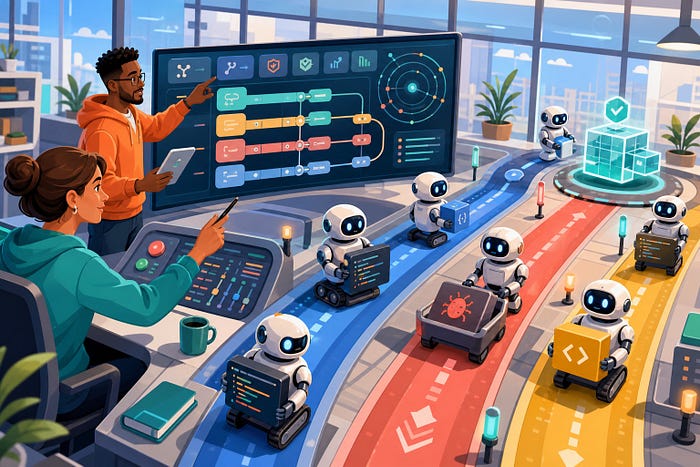
AI Agent Deconfliction Architecture: Keep Parallel Coding Agents From Fighting Over the Same Work
Last Updated on August 19, 2026 by Editorial Team
Author(s): Anna Jey
Originally published on Towards AI.
AI Agent Deconfliction Architecture: Keep Parallel Coding Agents From Fighting Over the Same Work

Parallel coding agents can feel like a superpower until two sessions edit the same file, start the same server, overwrite each other’s assumptions, and hand you a broken merge. The fix is not more prompting. It is deconfliction infrastructure.
The fastest way to make an AI coding workflow feel impressive is to run more than one agent at the same time. One agent builds the backend endpoint. Another updates the UI. A third writes tests. A fourth reviews the diff. For a while, it looks like a small software team appeared inside your terminal.
Then the hidden coordination bill arrives.
Two agents touch the same config. One updates a type while another writes against the old version. Three sessions fight over port 3000. A reviewer agent approves code that passed in its isolated branch but breaks once merged with another agent’s work. The agents were not stupid. They were operating without a shared traffic system.
This problem is getting more urgent. Anthropic’s recent research on emerging multiagent systems found that agents can coordinate on some parallel tasks, but also observed coordination failures, collusion, and sabotage in adversarial setups. Claude Code’s own worktree documentation now treats isolated workspaces as a first-class way to run parallel sessions safely.
Developers are already feeling the gap. Reddit threads around Claude Code, Codex, OpenCode, and parallel coding agents keep circling the same questions: Should every agent get a git worktree? How do agents share context? How do you stop them from stepping on files, ports, and half-finished decisions?
This guide gives that missing layer a name: AI agent deconfliction architecture. It is the set of boundaries, leases, state checks, merge gates, and human review points that let parallel agents move fast without turning your repository into a coordination accident.
What AI Agent Deconfliction Means
Deconfliction is an old idea from operations: when multiple actors use shared resources, someone needs to prevent incompatible actions before they collide. In an AI developer workflow, the actors are coding agents. The shared resources are files, branches, ports, databases, credentials, APIs, task queues, test environments, and human attention.
A deconfliction layer answers five questions:
- Does this agent own the part of the system it wants to change?
- Has another agent changed the files this agent used as context?
- Is the needed runtime resource, such as a port or test database, already leased?
- Can this change merge cleanly with other in-flight agent work?
- What evidence must exist before a human or another agent can approve it?
Worktrees solve one slice of this. They keep file edits separated while agents work. That is valuable, and often the right starting point. But isolation alone does not solve semantic conflicts. If one agent changes a function signature while another writes a caller against the old signature, both branches can look fine alone. The break appears only when the work comes together.
Recent research on state-managed multiagent collaboration makes the same point in a more formal way: separate workspaces prevent direct interference, but they often push conflict discovery to the merge step, where recovery is more expensive. The practical lesson for developers is simple. Do not wait until the final merge to find out that your agents disagreed about the shape of the system.
Why Parallel Coding Agents Fail at Teamwork
Most teams start with a human mental model: “If one agent helps, three agents should help three times as much.” That is only true when the tasks are independent. Many software tasks are not.
Stanford HAI summarized this coordination gap bluntly: multiple agents can perform worse together than one agent alone when collaboration becomes the bottleneck. That does not mean multi-agent coding is doomed. It means developers need to engineer the collaboration layer with the same care they give to APIs, queues, and deployment pipelines.
The common failure modes
The first failure is file collision. Two agents edit the same files or adjacent modules with incompatible assumptions. Git may catch the textual conflict, but it cannot reliably catch a semantic conflict where both patches compile separately and fail together.
The second failure is stale context. An agent reads the current API contract, spends ten minutes planning and editing, then writes code after another agent has changed that contract. The agent is not intentionally wrong. Its world view expired.
The third failure is resource contention. Agents start development servers, browser tests, database migrations, vector indexes, or background jobs without knowing what other agents already claimed. This creates noisy logs, flaky tests, and hard-to-reproduce failures.
The fourth failure is duplicated work. Two agents solve the same subproblem differently because no one assigned ownership clearly. You do not get speed. You get a design debate hidden inside a diff.
The fifth failure is review overload. Humans become the merge queue, task router, incident monitor, and memory system. The agents run in parallel, but the human still serializes all the coordination in their head.
Parallelism is useful only when the cost of coordination stays lower than the value of the extra work. Deconfliction keeps that cost visible and bounded.
The Practical Architecture
A good AI agent deconfliction architecture does not need to be heavy. Start with the smallest system that prevents the failures you are actually seeing. For a solo developer, that might be worktrees, task files, port leases, and a merge checklist. For a team, it may become a small control plane with agent identity, workspace provisioning, test gates, audit logs, and approval rules.
Think in layers.
A deconfliction layer routes agent actions through ownership, resource, test, and review checks before changes hit the shared system.
Layer 1: Task Ownership
Every agent should start with a bounded assignment. Not “improve the dashboard.” Instead: “Add the empty-state component for the billing dashboard. Do not modify billing API contracts. Use existing design tokens. Stop after tests pass and summarize changed files.”
Ownership should include:
- The task goal.
- The files or modules the agent may edit.
- The files the agent may read but should not change.
- The commands it may run without asking.
- The evidence required before completion.
This sounds basic, but it prevents a large share of agent conflict. Agents expand scope when the boundary is vague. If the task says “fix auth,” the agent may touch middleware, UI, tests, docs, environment files, and the login route. If three agents do that at once, the repository becomes a shared whiteboard with no eraser.
Layer 2: Workspace Isolation
Give each parallel coding agent its own workspace. In Git projects, that usually means one worktree per agent session.
git worktree add ../app-agent-billing -b agent/billing-empty-state
git worktree add ../app-agent-tests -b agent/billing-tests
git worktree add ../app-agent-review -b agent/review-billing-flow
Claude Code now documents this pattern directly: a worktree is a separate working directory with its own files and branch while sharing repository history. The important part is not the command. The important part is the invariant: one active agent should not write into another active agent’s working directory.
Worktrees are not magic. They do not eliminate merge conflicts. They do make conflicts easier to reason about because each agent has a named branch, a clear diff, and a contained working directory. That is the minimum viable deconfliction layer.

Layer 3: Resource Leases
Files are not the only shared resource. Agents also compete for ports, test databases, browser profiles, API rate limits, GPUs, queues, caches, and local credentials.
A lease is a simple record that says: this agent owns this resource until this time, for this task, with this cleanup command. You can implement this as a JSON file, a SQLite table, Redis, your CI system, or a small internal service.
{
 "resource": "localhost:5173",
 "owner": "agent-billing-empty-state",
 "task": "billing-dashboard-empty-state",
 "expires_at": "2026-08-15T09:30:00Z",
 "cleanup": "pkill -f vite"
}
The lease does not need to be fancy to be useful. Before an agent starts a dev server, it checks the lease registry. If the port is claimed, it chooses another port or asks for review. Before it runs a migration, it claims the test database. Before it runs an expensive benchmark, it checks the model budget or GPU slot.
This turns random contention into explicit scheduling.
Layer 4: State Freshness Checks
The hardest conflicts are not files. They are stale assumptions.
If an agent reads src/api/user.ts and src/types/user.ts, then writes src/pages/Profile.tsx, its edit depends on those files staying stable. If another agent changes the user type during the session, the first agent should know before it writes or merges.
You can approximate this with a lightweight read-set manifest. Ask every agent to record important files it inspected and the commit hash or file hash it saw.
{
 "agent": "agent-profile-ui",
 "task": "profile-page-refresh",
 "read_set": {
 "src/api/user.ts": "sha256:91a6...",
 "src/types/user.ts": "sha256:0f42...",
 "src/components/Button.tsx": "sha256:a883..."
 },
 "write_set": [
 "src/pages/Profile.tsx",
 "src/pages/Profile.test.tsx"
 ]
}
Before merge, compare the read-set hashes against the current target branch. If a dependency changed, the agent must rebase, reread, and rerun tests. This is not as advanced as a full state-managed collaboration system, but it catches the most common “my context went stale” failure before it lands.
Layer 5: Merge Queue and Review Gates
Do not let every successful agent merge immediately. Parallel execution should feed a controlled merge queue.
A useful merge gate checks:
- The task boundary was respected.
- The branch is based on a fresh target.
- The read-set did not go stale.
- Tests passed in the isolated workspace.
- Tests passed again after integration.
- The diff has a human-readable explanation.
- Rollback is obvious.
This is where many agent workflows are too trusting. A branch that passes tests alone is not done. It is a candidate. The final check is whether it still works after it joins the current system.
Parallel agents should feed a visible merge queue, not silently write into the shared project.
A Simple Deconfliction Workflow You Can Use
Here is a practical flow for a team using Codex, Claude Code, Gemini CLI, Cursor agents, OpenCode, or an internal coding-agent runner.
Step 1: Create a task contract
Write a short task contract before launching the agent. Keep it boring and concrete.
Task: Add invoice empty state to billing dashboard
Owner: agent-billing-empty-state
Allowed writes:
 - src/billing/InvoiceEmptyState.tsx
 - src/billing/InvoiceEmptyState.test.tsx
 - src/billing/index.ts
Read-only context:
 - src/design/tokens.ts
 - src/billing/BillingDashboard.tsx
Do not change:
 - API contracts
 - billing routes
 - package dependencies
Evidence required:
 - unit test
 - screenshot or DOM snapshot
 - summary of changed files
Good task contracts reduce prompt arguing later. The agent knows where to work, where not to work, and what proof it owes you.

Step 2: Start in an isolated workspace
Create a named worktree or equivalent sandbox. Copy only the environment files the agent needs. Avoid sharing long-lived credentials. If the agent needs a browser profile, test database, or local server port, allocate those through a lease.
Step 3: Require progress notes
Each agent should write a small progress note in its own task folder. This is not a diary. It is a coordination artifact.
status: in_progress
last_checked_target: main@a13c912
files_read:
 - src/billing/BillingDashboard.tsx
 - src/design/tokens.ts
files_changed:
 - src/billing/InvoiceEmptyState.tsx
open_questions:
 - Should empty state CTA open existing invoice modal?
This gives humans and other agents a quick way to inspect work without reading the entire transcript.
Step 4: Run isolated tests, then integration tests
The first test pass happens inside the agent workspace. The second happens after rebase or merge into a staging branch. The second pass matters more.
If you have many agents, create an integration branch for each merge batch:
git checkout main
git pull
git checkout -b integrate/billing-agent-batch
git merge --no-ff agent/billing-empty-state
git merge --no-ff agent/billing-tests
npm test
npm run lint
When this fails, do not ask every agent to fix everything. Route the failure to the smallest responsible owner. If the failure crosses ownership boundaries, create a new integration task with a human-approved plan.
Step 5: Keep one human in the command role
Fully automated merging sounds tempting, but most teams should keep one human responsible for final integration until the workflow has a strong track record. The human does not need to approve every shell command. They do need to own architecture decisions, security-sensitive changes, dependency additions, migrations, and cross-agent conflict resolution.
Think of the human as the release manager, not the typist.
Design Patterns That Prevent Agent Conflict
Use file ownership maps for hot areas
Some files attract conflicts: route registries, schema files, shared types, package manifests, migration folders, design tokens, and generated clients. Mark these as hot files. Agents may read them, but writes require a narrower task or explicit approval.
For example, let an agent add a component, but require approval before it changes package.json, schema.prisma, openapi.yaml, or src/routes.ts. This catches many accidental broad edits.
Prefer additive changes during parallel work
Parallel agents are safer when they add new files, tests, or modules instead of rewriting shared foundations. Save sweeping refactors for single-owner tasks. If two agents need the same shared abstraction, pause and create a small foundation task first.
Separate builder, verifier, and integrator roles
Do not ask the same agent to build the feature, judge the design, approve the diff, and merge it. A better pattern is builder, verifier, integrator.
- The builder implements within a narrow boundary.
- The verifier checks tests, requirements, edge cases, and risky assumptions.
- The integrator merges in order and handles conflicts.
These can be agents, humans, or a mix. The key is role separation. It reduces self-approval and makes failure easier to trace.
Capture intent and rollback
When agents touch adjacent code, raw diffs are not always enough. Use short intent notes in task files or PR descriptions so later reviewers know why a change exists. Also make rollback obvious with a small branch, feature flag, migration rollback, or clear revert path. Parallel work increases the chance that one change must be removed while others stay.
What to Automate First
If you are building an internal agent runner, start with the controls that remove the most human coordination pain.
- Automatic worktree creation with named branches.
- A task contract template.
- A small lease registry for ports and test databases.
- A read-set and write-set manifest.
- A merge queue that reruns tests after integration.
- A review packet that summarizes scope, evidence, risks, and rollback.
That is enough for many teams. Add model routing, dashboards, policy engines, and audit exports later. Deconfliction should grow from real collisions, not architecture theater.
Metrics That Tell You If It Works
Do not judge multi-agent coding by how busy the terminal looks. Track whether parallelism produces useful, mergeable work. Start with these metrics:
- Merge success rate: percentage of agent branches that merge without manual conflict resolution.
- Integration failure rate: percentage of branches that pass alone but fail after merge.
- Stale context catches: number of attempted merges blocked because read-set files changed.
- Human review minutes per accepted change: whether agents are saving review time or moving it around.
- Rollback frequency: how often merged agent work must be reverted.
- Duplicate task rate: how often two agents solve the same problem separately.
If merge success is low, improve task boundaries. If isolated tests pass but integration fails, add state checks. If human review time rises, improve review packets and reduce task size. If duplicate work appears, fix the task queue before launching more agents.
Rule of thumb: Add more agents only after you can explain how they claim work, isolate edits, lease resources, refresh stale context, and enter the merge queue. If you cannot explain those five things, the next agent will probably create more coordination work than useful output.
Conclusion
The next wave of AI developer productivity will not come from simply opening more terminals. It will come from treating agents like fast, useful, unreliable teammates that need clear ownership and operational boundaries.
AI agent deconfliction architecture is how you get there. Start with worktrees. Add task contracts. Lease shared resources. Track read and write sets. Merge through gates. Keep humans responsible for the decisions that shape the system.
Parallel agents can help developers ship faster. But speed only matters when the work can land cleanly. Deconfliction is what turns parallel agent output into production software instead of a pile of almost-finished branches.
FAQ
What is AI agent deconfliction architecture?
AI agent deconfliction architecture is the control layer that prevents multiple AI agents from taking incompatible actions on shared files, tools, environments, data, or tasks. In coding workflows, it usually includes task ownership, workspace isolation, resource leases, state freshness checks, merge gates, and review evidence.
Do git worktrees solve multi-agent coding conflicts?
Git worktrees solve direct working-directory collisions by giving each agent its own branch and checkout. They do not fully solve semantic conflicts, stale assumptions, duplicated work, or runtime resource contention. Treat worktrees as the foundation, not the complete solution.
How many coding agents should I run in parallel?
Start with two agents on clearly separate tasks. Add more only when your merge success rate is high, review time is manageable, and you have a clear task queue. If you are spending more time coordinating agents than reviewing useful diffs, reduce the number of parallel sessions.
What shared resources should AI coding agents lease?
Common resources include localhost ports, test databases, browser profiles, staging environments, API rate-limit budgets, GPU slots, file locks, deployment previews, and long-running background jobs. Any resource that can be claimed by two agents at once should have a lease or queue.
How do I prevent stale context in coding-agent workflows?
Ask agents to record important files they read and the commit or hash they saw. Before merge, compare that read set with the current target branch. If a dependency changed, the agent should rebase, reread the changed files, rerun tests, and update its patch before review.
Further Reading
- Anthropic: Patterns and problems in emerging multiagent systems
- Claude: Maximizing the value of your Claude Code sessions
- Claude Code docs: Run parallel sessions with worktrees
- STORM: Multi-agent Collaboration with State Management
- AgenticFlict: A dataset of merge conflicts in AI coding agent pull requests
- Stanford HAI: AI coding agents fail at teamwork
Join thousands of data leaders on the AI newsletter. Join over 80,000 subscribers and keep up to date with the latest developments in AI. From research to projects and ideas. If you are building an AI startup, an AI-related product, or a service, we invite you to consider becoming a sponsor.
Published via Towards AI
Towards AI Academy
We Build Enterprise-Grade AI. We'll Teach You to Master It Too.
15 engineers. 100,000+ students. Towards AI Academy teaches what actually survives production.
Start free — no commitment:
→ 6-Day Agentic AI Engineering Email Guide — one practical lesson per day
→ Agents Architecture Cheatsheet — 3 years of architecture decisions in 6 pages
Our courses:
→ AI Engineering Certification — 90+ lessons from project selection to deployed product. The most comprehensive practical LLM course out there.
→ Agent Engineering Course — Hands on with production agent architectures, memory, routing, and eval frameworks — built from real enterprise engagements.
→ AI for Work — Understand, evaluate, and apply AI for complex work tasks.
Note: Article content contains the views of the contributing authors and not Towards AI.
Related posts
Recent Posts


