

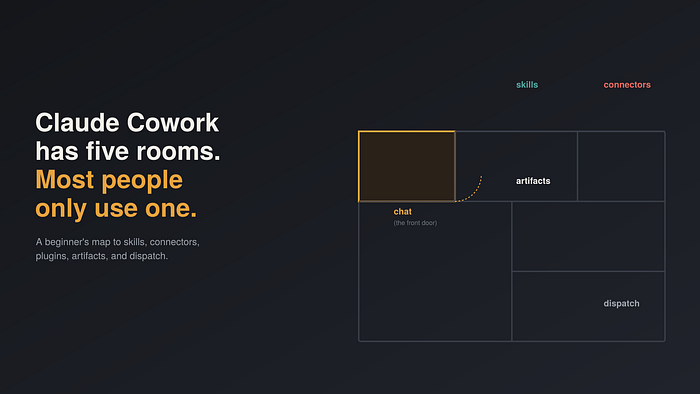
Claude Cowork Has Five Moving Parts. Most People Only Use One.
Last Updated on July 20, 2026 by Editorial Team
Author(s): Neha Khan • AI & Software Engineer
Originally published on Towards AI.

Claude Cowork Has Five Moving Parts. Most People Only Use One.
Cowork is the rest of the house: skills, connectors, plugins, projects, artifacts, and dispatch. Here’s the fast tour.
Before you start: Cowork needs a paid plan (Pro, Max, Team, or Enterprise) and the Claude Desktop app, kept open while a task runs. Close the app, the session stops.

Skills: how Claude knows your way of doing things
A skill is a how-to file Claude reads automatically when a task matches it. You don’t run it like a command, you just ask, and if a matching skill is installed, Claude uses it.
Case: the deck you send every month. Before, you’d manually check every PowerPoint for the right fonts, brand colors, and slide density before sending it out, every single time. You install a “deck review” skill once. Now you just ask: “Check this PowerPoint for consistency before I send it.” You get a list of exactly what’s off, no re-explaining your standards.
Case: the invoice you dread writing. Before, a freelancer retyped the same invoice format, tax rate, and line items every month from scratch. They install an “invoice generator” skill once. Now they just say: “Generate this month’s invoice for [client].” They get a finished invoice in the right format, every time, without describing it again.
You can stack several at once. If you have a data-analysis skill and a branded-deck skill, asking “turn this CSV into a deck for leadership” uses both in one go, no need to name either.
Finding and uploading a skill that’s not in the built-in directory:
- Search. Go to
skills.sh, "The Agent Skills Directory," built by Vercel. Search by keyword (e.g. "SEO," "invoice," "code review") to see every matching skill across public GitHub repos, ranked by install count. - Read it on the spot. Each result page shows the full
SKILL.mdinline, so you can read exactly what it does before going anywhere near GitHub. Many also carry security-audit badges (Socket, Snyk, Agent Trust Hub) showing whether the skill passed an automated scan. - Follow the link to the GitHub repo. Every skills.sh page links to its source repo if you want to inspect the full folder, scripts included, rather than just the SKILL.md preview.
- Get it onto your machine. Either download just that skill’s folder as a ZIP from GitHub, or use the command shown on its skills.sh page, something like
npx skills add <repo-url> --skill <skill-name>, which pulls it down for you. - Re-zip just the skill folder. If you went the manual route, make sure the folder itself (the one containing
SKILL.md) is at the root of the ZIP, not buried inside another folder. - Upload it to Claude. Go to Customize > Skills, click “+,” choose “Upload a skill” (or “Create skill”), and select your ZIP. It appears in your list, toggled on by default.
skills.sh is a third-party directory, not built or vetted by Anthropic. The security badges help, but they're automated scans, not a guarantee. Skim the SKILL.md and any bundled scripts yourself before uploading, since skills can run code. If you'd rather start somewhere Anthropic maintains directly, its own collection lives at github.com/anthropics/skills.
Connectors: where Claude reaches your real data
A connector gives Claude access to a real service, Gmail, Drive, Slack, through OAuth. It acts as you, with your existing permissions, and you can scope exactly what it’s allowed to do (read your email, say, but never send it).
Case: the Monday morning inbox panic. Before, you’d open your inbox to 80 unread emails and spend 30 minutes just figuring out what’s urgent. You connect Gmail once, then ask: “Sort this week’s unread emails into urgent, needs-reply, and FYI. Draft replies for anything that just needs a confirmation, don’t send.” You get a sorted inbox and a folder of draft replies waiting for your final yes, in under a minute, with nothing sent without your approval.
Plugins: someone else’s setup, pre-built
A plugin bundles skills and connectors into one package for a role, Sales, Legal, Finance. It’s the fastest way to get something useful before you understand the individual pieces. Customize it once you know what’s missing, it’s a starting point, not a fixed setup.
Case: the new hire on a sales team. Before, getting Claude useful for sales work meant manually connecting a CRM, then writing skills for call prep and follow-ups from scratch. You install the Sales plugin instead. It arrives with a CRM connector already wired up, plus skills for call prep and follow-up emails, all in one click. You get to ask “prep me for tomorrow’s call with [client]” on day one, with zero setup of your own.
Projects: the workspace that remembers
A standalone task forgets everything when it ends. A Project doesn’t, it’s tied to a folder, with its own files, instructions, and memory that carries across every task inside it.
Case: the weekly report that starts from zero, every week. Before, you’d re-explain your report’s format, your folder location, and your standards to Claude in every new conversation. You create a “Weekly Reporting” Project once, pointed at a folder with your template and past reports, and tell it once: “Pull from active files, flag anything overdue by 2+ days, output as a one-page .docx.” You get a Claude that remembers all of that weeks later, no re-explaining, just “do this week’s report.”
Worth knowing: Projects are local to one computer, no cloud sync, and can’t be shared with teammates yet.
Artifacts: the actual thing you walk away with
Not a chat reply, a deliverable: a working spreadsheet, a slide deck, real code, a formatted doc.
Case: the budget you keep meaning to set up. Before, you’d ask an AI for budgeting advice and get a paragraph explaining how a tracker should work, leaving you to build it yourself. You ask: “Build me a budget tracker.” You get an actual spreadsheet, with formulas that already calculate your monthly totals, ready to open and use.
Case: the vendor decision you’re stuck on. Before, comparing three vendor quotes meant three open tabs and a notes app full of half-finished bullet points. You ask: “Compare these three vendor quotes side by side.” You get an actual table, not a paragraph, that you can drop straight into a report or email.
If you need something to keep or hand off, name the deliverable directly instead of asking a question.
Dispatch and Scheduled Tasks: when the work happens

Dispatch is for one-off big jobs. Brief it from your phone, walk away, your desktop does the work while you’re out.
Scheduled Tasks are for anything recurring. Type /schedule once, Claude runs it on a cadence as long as your computer's on.
One-off but big → Dispatch. Same thing every Friday → Scheduled Task.
Case: the research you keep postponing. Before, a topic needing real research sat on your to-do list because you never had an uninterrupted hour to dig in. Before bed, you Dispatch it from your phone: “Research X and draft a brief.” You wake up to a finished brief, the work done overnight while you slept.
Case: the daily inbox check you do manually anyway. Before, “checking my email summary” meant actually doing it yourself, every single morning. You set up a Scheduled Task once: “Summarize my inbox every morning at 8am.” You get the summary waiting for you each day, automatically, without asking again.
One real risk worth naming: dispatching from your phone means instructions from your phone can trigger real actions on your desktop. Don’t dispatch into a folder or permission set you wouldn’t hand a new, unsupervised hire.
Worth knowing before you grant access
- Deletion needs your explicit “Allow.” Claude can’t permanently delete a file without a prompt first.
- Not for regulated work, yet. Cowork activity isn’t captured in audit logs or the Compliance API.
- Start with a dedicated folder, not your whole filesystem, and widen access as trust builds.
Quick reference
Piece What it is Use it when Skill A how-to file Claude reads automatically A task you repeat often Connector OAuth access to a real service You need your actual data, not a description of it Plugin A bundle of skills + connectors for a role You want a working setup fast Project A persistent workspace with memory Anything recurring Artifact The finished deliverable You need something to keep or hand off Dispatch A one-off task, briefed remotely Big, but you won’t need it twice Scheduled Task The same job, repeating Every week, automatically
Get started this week
- Connect one service where your work actually lives.
- Install one plugin matching your role.
- Run one real task with an actual deliverable, in a dedicated folder.
- Turn it into a Project if you’ll repeat it.
- Move repeats to a Scheduled Task once you trust the output.
Start with one connector and one real task. Everything else makes more sense once you’ve felt the gap it solves, not before.
Join thousands of data leaders on the AI newsletter. Join over 80,000 subscribers and keep up to date with the latest developments in AI. From research to projects and ideas. If you are building an AI startup, an AI-related product, or a service, we invite you to consider becoming a sponsor.
Published via Towards AI
Towards AI Academy
We Build Enterprise-Grade AI. We'll Teach You to Master It Too.
15 engineers. 100,000+ students. Towards AI Academy teaches what actually survives production.
Start free — no commitment:
→ 6-Day Agentic AI Engineering Email Guide — one practical lesson per day
→ Agents Architecture Cheatsheet — 3 years of architecture decisions in 6 pages
Our courses:
→ AI Engineering Certification — 90+ lessons from project selection to deployed product. The most comprehensive practical LLM course out there.
→ Agent Engineering Course — Hands on with production agent architectures, memory, routing, and eval frameworks — built from real enterprise engagements.
→ AI for Work — Understand, evaluate, and apply AI for complex work tasks.
Note: Article content contains the views of the contributing authors and not Towards AI.
Related posts
Recent Posts





